
AI Browser Agents Cost 45x More to Run - Here's What Smart Solopreneurs Use Instead
If you've been experimenting with AI agents that browse the web, fill out forms, or scrape pages on your behalf, there's a new number you need to tattoo on the inside of your eyelids: 45x.
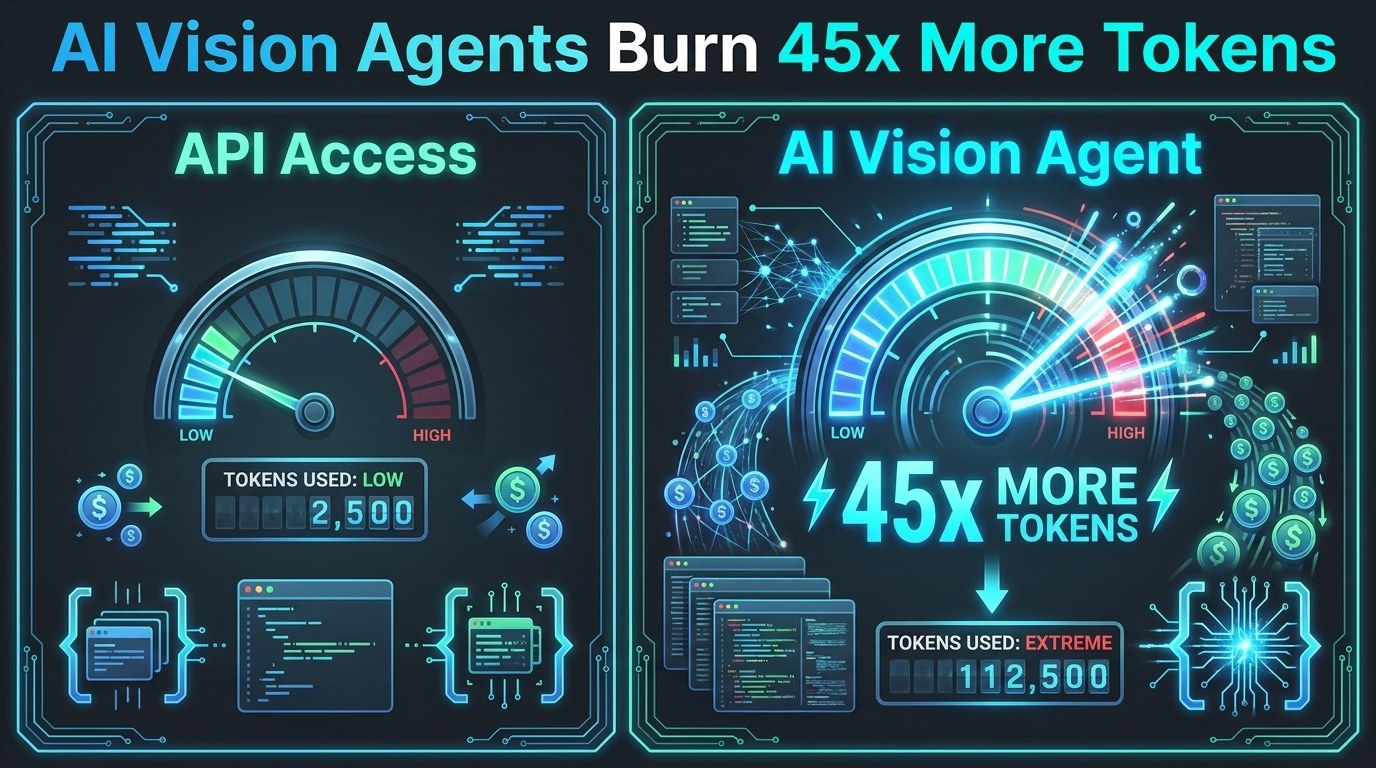
A benchmark published this week found that vision-based AI agents - the kind that "see" websites through screenshots and navigate them like a human - consume 45 times more tokens than equivalent API-based approaches to accomplish the same tasks. According to The Register, the cost penalty is dramatic and growing more relevant as agentic AI tools become mainstream for small business owners and solopreneurs.
For a solopreneur running automations on a tight budget, this isn't just a fun data point - it's a strategic decision about how you build your AI stack.
What Are Vision Agents and Why Are They So Expensive?
A vision agent is an AI system that interacts with a website or application the same way a human would: by looking at the screen, reading what's on it, clicking buttons, scrolling, typing, and navigating menus. Tools like browser-use, Operator, and similar frameworks work this way.
This approach is powerful because it can handle literally any website - no special integration required. But the cost is enormous.
Here's the core problem: every time the agent "looks" at the page, it takes a screenshot and feeds that image into the model as tokens. A single screenshot can consume thousands of tokens depending on resolution and detail. If the agent checks the page after every click, reads multiple sections, scrolls down to load more content, and retries when something doesn't work - you're looking at tens of thousands of tokens per task. Multiply that by dozens of automated tasks per day and your API bill gets painful, fast.
API-based access, by contrast, sends structured data - clean JSON or HTML - directly to the model. There are no screenshots, no visual parsing, no wasted compute on navigation chrome, ads, or sidebars. The model gets exactly what it needs in minimal tokens.
The 45x multiplier is the real-world cost of that visual overhead.
The Three Scenarios Where This Actually Matters for Your Business
1. Web research and data gathering
If you're using an AI agent to research competitors, gather pricing data, pull contact information from directories, or summarize content from multiple sources - this is the scenario where the 45x penalty hits hardest. A single research session that takes 50,000 tokens via API can balloon to 2.25 million tokens via a vision agent doing the same work.
What to use instead: If the site has an API, use it. If it doesn't, use a scraping tool that returns structured data first (Apify, Firecrawl, Jina AI's reader endpoint) and then feed that clean text to your LLM. You get the same output for a fraction of the cost.
2. Form filling and data entry automation
Vision agents are often pitched as the way to automate tasks that "don't have an API." But before you build a vision agent to fill out a form or update a CRM, check whether there's a structured path. Most modern SaaS tools have Zapier or Make integrations. Many have native APIs. Even a simple web scraper + form submission via HTTP POST can beat a vision agent on cost by 10-50x.
3. Monitoring and alerting workflows
If you're having an AI agent check a page periodically to see if something changed - a competitor's pricing, a job listing, a product availability - vision agents are a budget-draining way to do it. RSS feeds, change-detection tools like Visualping or Distill.io, or API calls to structured endpoints all accomplish the same goal without the token overhead.
What to Build With Vision Agents (Sparingly and Strategically)
This doesn't mean vision agents are useless - it means they're a precision tool, not a general-purpose automation layer.
Vision agents make sense when:
- There is no API or structured data access available
- The task is high-value enough that the token cost is justified (a $500/month client account, not a $5 Etsy order notification)
- The task is run infrequently, not on a repeating automated schedule
- You're doing initial setup or one-time extraction, not ongoing workflows
Think of vision agents the way you'd think of hiring a contractor for a one-off project vs. building a permanent system. The contractor is flexible and capable but expensive per hour. Your permanent system is efficient, reliable, and cheap to run daily.
Your Practical AI Automation Cost-Reduction Checklist
Before you build any AI automation this week, run through this quick audit:
Step 1: Does the target have an API? Search "[service name] API documentation." If yes, use the API. End of story.
Step 2: Does the target have a Zapier, Make, or n8n integration? Check their integration pages. If yes, connect via the integration. No tokens consumed.
Step 3: Can you extract structured data first?
Use Firecrawl (firecrawl.dev), Jina AI's Reader (r.jina.ai/[url]), or a simple BeautifulSoup scraper to pull clean text or JSON, then feed that to your LLM. This is the 45x cheaper version of what a vision agent does.
Step 4: Is there an RSS or webhook option? Many blogs, news sites, job boards, and SaaS platforms offer RSS feeds or webhooks. These push structured data to you with zero token overhead.
Step 5: Only if all else fails - use a vision agent And when you do, set strict token limits, cache intermediate results, and run it as infrequently as possible.
What This Means for Your AI Budget Right Now
Let's put real numbers on this. If you're using Claude Sonnet or GPT-4o at roughly $3-6 per million input tokens, a vision-agent task consuming 500,000 tokens costs you $1.50-$3.00. If you're running that task 20 times a day, that's $30-$60/day - or $900-$1,800/month for a single automation.
The same task via API? Roughly $0.03-$0.06. That's the difference between a $1,800/month line item and a $30/month line item.
For a solopreneur, that gap doesn't just affect your margins - it determines whether AI automation is affordable at all.
The good news: once you internalize the "API first, scraper second, vision agent last" hierarchy, your AI stack gets dramatically more economical. The tools don't change - just the order you reach for them.
The Bottom Line
Vision agents are impressive. Watching an AI navigate a website like a human is genuinely useful for certain tasks. But the 45x token cost penalty means they belong in your toolkit as a last resort, not a first instinct.
As a solopreneur building AI-powered workflows, your competitive advantage isn't just using AI - it's using it efficiently. The businesses that figure out how to get maximum output per token will outrun the ones burning budget on brute-force automation.
This week, audit one automation you're currently running. Ask: is there a structured data path I haven't explored? Odds are there is - and finding it could save you hundreds of dollars a month.
Want the tools and prompts that power the most cost-efficient AI workflows? Download the free AI Morning Brief at aiproductivitydaily.com/free-tools - a curated daily toolkit for solopreneurs who want to work smarter without burning their budget.
One AI workflow, every weekday.
Tutorials, tool reviews, and automation playbooks for solopreneurs running on AI. Short, useful, and free. Unsubscribe anytime.
No pitch. No upsell. One quick AI workflow per weekday.