

The Solopreneur's Guide to On-Device AI: What Tiny Models Like Needle Mean for Your Business in 2026
What Every Solopreneur Needs to Know About On-Device AI
Cactus Compute just distilled Google's Gemini 3.1 down to 26 million parameters - and the resulting model, called Needle, runs at 6,000 tokens per second on hardware you already own. For solopreneurs who've been waiting for AI that's private, instant, and free to run after setup, this is a real inflection point.
Here's what this shift actually means for your business toolkit:
- Ultra-small AI models that handle real function-calling tasks
- On-device inference with no API costs or subscription fees
- Models fine-tunable on a consumer laptop in under an hour
- Workflows that run completely offline and without latency
- AI that lives on your phone, smartwatch, or AR glasses
The core questions you'll need to weigh as you evaluate this:
- When does it make sense to run AI locally versus in the cloud?
- What kinds of tasks can a 26M parameter model actually handle reliably?
- How does on-device AI compare to ChatGPT or Claude on speed and output quality?
- Is any of this accessible without a technical background?
- What's the real cost difference over time?
By the end of this guide, you'll understand how on-device AI fits into a lean solopreneur toolkit, where it saves time and money, and how to start testing it this week.
AI Productivity Daily, a resource for solopreneurs and small business owners using AI to save time and grow, has tracked the rapid evolution of edge AI and compact model architectures throughout 2025 and 2026. In this guide, I'll break down what the Needle release means for your workflow, how on-device AI compares to cloud options, and how to get started right now.

The Main Categories of On-Device AI Available to Solopreneurs Right Now
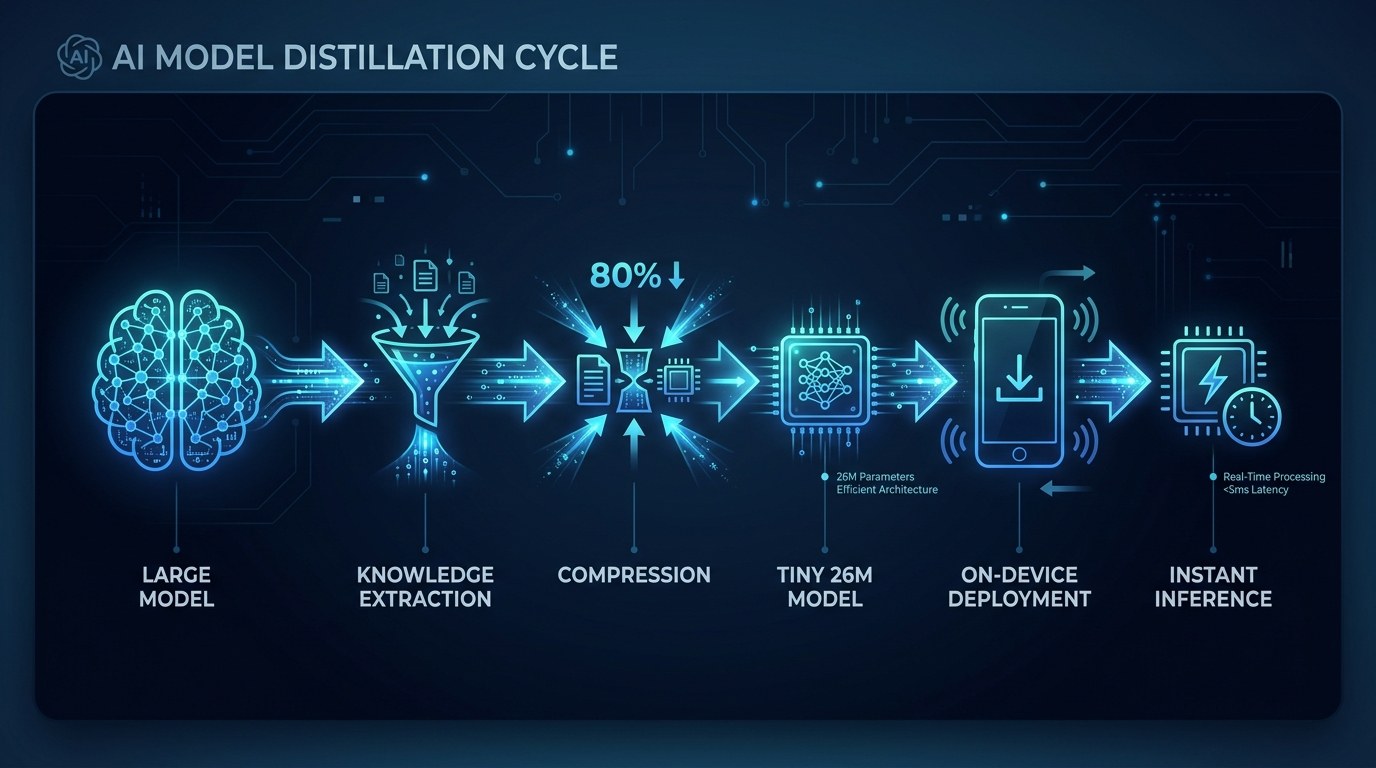
The on-device AI space has matured significantly in 2026. What started as a niche developer experiment - running stripped-down language models locally - has become a legitimate workflow category. According to Cactus Compute's Needle release, it's now possible to distill a frontier model like Gemini 3.1 down to 26 million parameters without losing the ability to call functions reliably. That's the core unlock for solopreneurs: an AI that can actually do things, not just chat.
The landscape breaks into three meaningful tiers, each suited to different solopreneur use cases.
Distilled Function-Calling Models
These are the most powerful category for workflow automation. Distilled models like Needle - built by compressing Gemini 3.1 using knowledge distillation - retain the structured output and function-calling abilities of their parent model at a fraction of the size.
- Runs at 6,000 tokens per second on consumer hardware (most cloud APIs cap at 100-300 tokens/sec for interactive use)
- Can call tools, fill forms, trigger automations, and generate structured JSON reliably
- Fine-tunable on a standard laptop in under an hour using the provided notebooks
- No API key required - runs as a local process on Mac, Windows, or Linux
The practical benefit is direct: you can wire this into tools like n8n or Make as a local AI processing node, removing the API cost ceiling from your automations entirely.
Quantized Open-Source Models
Models like Llama 3.2, Phi-4, and Mistral 7B have been available in compressed, quantized formats for over a year via tools like Ollama. These run well on mid-tier laptops - especially Apple Silicon - and are excellent for writing assistance, summarization, and structured content tasks.
They're best for solopreneurs who want a private writing assistant that never leaves their machine, local summarization of sensitive client documents, and offline research and idea development during travel.
The trade-off: quantized open-source models require a bit more setup and aren't as fast as purpose-built distilled models like Needle for structured tasks.
Embedded Mobile Models
This is the fastest-moving category in 2026. Apple's on-device models in iOS, Google's Gemini Nano on Android, and now specialized distilled models like Needle - explicitly designed by its creators to run on a smartwatch and AR glasses - represent AI that genuinely lives in your pocket.
For solopreneurs, this means automations triggerable from your phone without a data connection, voice-to-action workflows that run on a plane, and AI-assisted responses that never touch a third-party server.
How to Choose the Right On-Device AI Approach for Your Business
| Option | Key Quality | Strengths | Best For | |---|---|---|---| | Needle (Cactus Compute) | 26M params, 6K tokens/sec | Blazing fast, function-calling, phone-ready | Automation nodes, offline agents | | Llama 3.2 3B via Ollama | Open-source, flexible | Wide ecosystem, solid writing quality | Writing, research, local chatting | | Gemini Nano (Android) | Built into OS | Zero setup, always available | Quick queries, Pixel phone users | | Apple Intelligence | Deep OS integration | Seamless UX, strong privacy | Apple ecosystem operators | | LM Studio | Desktop model manager | Polished UI, easy model switching | Non-technical solopreneurs |
The single most important factor for most solopreneurs: start with Ollama. It's a free, open-source local model manager that installs in minutes and gives you access to dozens of models through a simple chat interface or API. It's the fastest path to understanding what on-device AI can actually do for your workflow before you commit to anything more complex.
Is On-Device AI Reliable Enough for Real Business Tasks? - Practical Tips
For function-calling, task automation, and structured outputs - yes. For complex multi-step reasoning and long-form creative work, cloud models still have an edge. The right approach is to use on-device AI where speed and privacy matter most, and cloud AI where depth of reasoning matters.
- Start with one specific bottleneck - identify a single repetitive task (email classification, form filling, quick drafts) before building anything. On-device AI earns its place by solving a real problem, not by existing.
- Run Ollama with Llama 3.2 for at least one week before evaluating specialized tools. Familiarity with local model behavior is worth more than chasing the newest release.
- For automation, test Needle's function-calling reliability directly against your existing cloud-based automation nodes - you're looking for consistent structured output, not conversational quality.
- Budget zero for on-device tools - the real cost is setup time, not dollars. If getting started takes more than two hours, the tool may not be at the right maturity level for non-technical operators yet.
(For a curated list of beginner-friendly AI tools, visit aiproductivitydaily.com/free-tools - updated monthly with practical options sorted by use case.)
Cloud AI vs. On-Device AI - Understanding the Difference
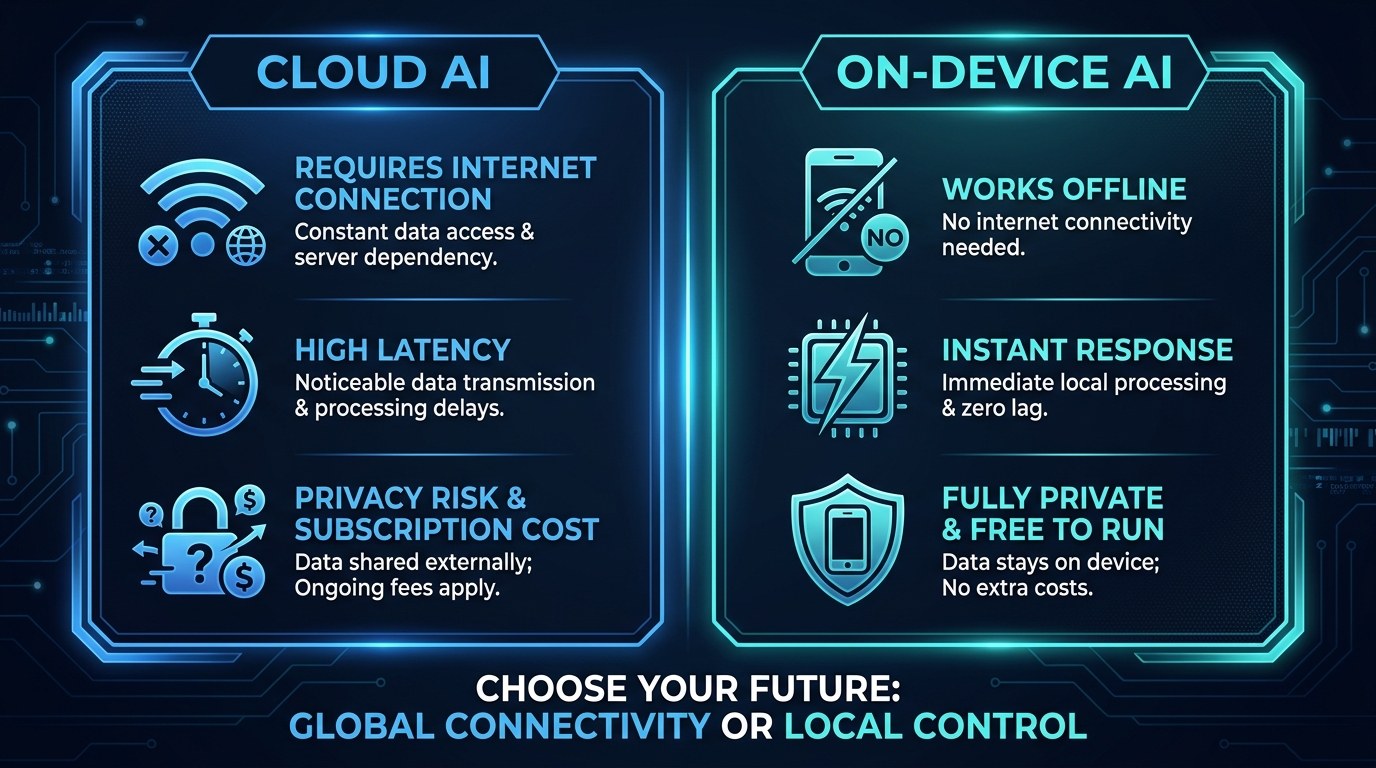
Cloud AI gives you the most capable models on the planet, accessible from a browser with no hardware requirements. On-device AI gives you speed, privacy, and zero marginal cost after setup. The distinction isn't which is better - it's which is right for the task.
For sensitive client work, internal automations, or workflows that need to run faster than any API response allows, on-device AI wins. For nuanced writing, complex strategy, and tasks requiring the latest training knowledge, cloud AI wins. Most lean solopreneur operations will end up running both - and that's exactly the right approach.
On-Device AI for Every Stage of Your Business
On-device AI scales with where you are in your business, not against it.
- Early stage (0-3 clients): Use Ollama with a lightweight model to build a private writing assistant and local document summarizer. No API costs, no data privacy concerns, and a fast tool for drafting proposals offline.
- Growth stage (4-10 clients): Integrate a local model into your automation stack as an AI processing node. Run classification, tagging, and structured data extraction on client documents without ever sending sensitive data to an external server.
- Operating at scale (10+ clients): Build specialized fine-tuned models for specific workflows - intake form processing, content brief generation, client update drafting. The Needle architecture makes fine-tuning on your own data genuinely accessible on standard hardware.
Beginner vs. Advanced Options
The on-device AI ecosystem has matured enough that there's a clear path for non-technical operators.
- Beginner - Ollama (Free): Download Ollama, pull a model in one terminal command, and you have a local chat interface. No coding, no API keys, no subscription. Right for solopreneurs who want to experiment privately.
- Intermediate - LM Studio or Msty (Free): Polished desktop apps that manage local models with a ChatGPT-style UI. Supports document context, easy model switching, and local API access for automation tools. Best for operators ready to integrate AI into daily writing workflows.
- Advanced - Needle or fine-tuned Ollama models via API: For solopreneurs comfortable with API calls or no-code automation builders. Connect a local model as a processing node in n8n or Make, build custom workflows, and fine-tune on your own data for specialized tasks.
Customization and Workflow Integration
The 2026 shift in on-device AI isn't just about capability - it's about integration. Modern local model tools expose the same API format as OpenAI and Anthropic. That means any automation tool that works with ChatGPT can be rewired to use a local model with a single URL change.
- Swap your AI node in n8n or Make by changing the endpoint from
api.openai.comtolocalhost:11434(Ollama's default) - your existing automations run locally at no cost - Reduce your API bill for classification tasks in Zapier by routing high-volume, low-complexity steps to a local model via the OpenAI-compatible endpoint
- Build a private knowledge base assistant using Open WebUI against your own documents - no data ever leaves your machine
Why This Matters for Solopreneurs Running Lean in 2026
The honest hesitation most solopreneurs have about on-device AI is setup friction. You're running a business, not a home lab. The counterpoint: the setup investment for tools like Ollama is now genuinely under 30 minutes, and the payoff compounds across every workflow that currently has an API cost attached to it.
The research backs this up. Gartner data published this week found that the organizations seeing real returns from AI are using it to amplify people, not automate them away. For solopreneurs, on-device AI is the clearest expression of that principle - a capability multiplier that sits entirely within your control, at zero marginal cost.
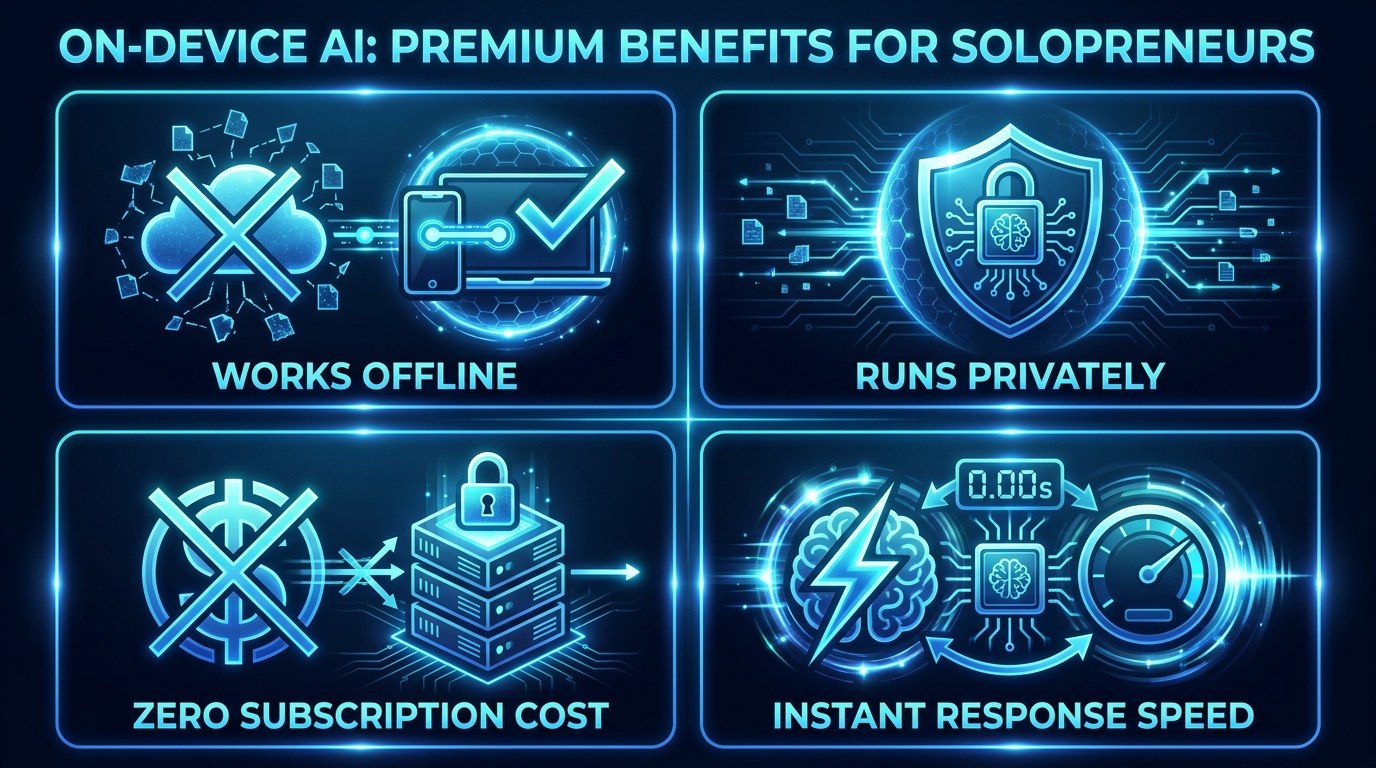
- Eliminates the API cost ceiling on high-volume tasks like email triage, content tagging, and form processing - automations that cost $50-200/month in cloud API fees can run free locally
- Removes privacy barriers that currently prevent you from using AI on sensitive client documents, financial data, or unreleased work
- Reduces latency to near-zero for interactive use cases - 6,000 tokens per second means no waiting, no spinner, no rate limits
- Creates workflow independence - your automations keep running even when a cloud provider has an outage, when API prices change, or when you're offline in a client meeting
Getting the Most Out of On-Device AI in Your Workflow
- Use cloud AI to evaluate on-device AI - ask ChatGPT or Claude to help you identify exactly which steps in your current workflows are repetitive, structured, and privacy-sensitive. Those are your on-device candidates.
- Fine-tune on your own samples, not generic data - if you're taking Needle or a local model into a specific task, 50-100 examples from your real work will outperform any general fine-tuning approach.
- Don't replace, augment - use on-device AI for pre-processing and triage, then hand off complex tasks to cloud models. Pay cloud prices only where they're genuinely justified.
- Track your API bill before and after - set a baseline this month, implement one local model swap, and measure the difference in 30 days. The ROI case becomes obvious once you have the numbers.
(More workflow integration guides at aiproductivitydaily.com/free-tools.)
Frequently Asked Questions About On-Device AI
How do I know if my laptop is powerful enough to run a local AI model?
Any Mac with Apple Silicon (M1 or later) handles most local models comfortably. On Windows, 16GB of RAM is the practical minimum for a standard 7B model, with 8GB workable for the smallest distilled models like Needle. Most computers bought after 2021 can run at least a basic local model - Ollama will report at startup if your hardware is below the minimum spec.
What happens when I want to fine-tune a model on my own data?
Fine-tuning is genuinely accessible in 2026 without a machine learning background. Tools like Unsloth and Apple's MLX framework make the process straightforward. The basic path: prepare 50-200 labeled examples of your task in a structured format, run a fine-tuning script for one to two hours on your local hardware, then test the output against your baseline. The Needle GitHub repo includes example notebooks you can modify without needing to understand the underlying model architecture.
Can I use on-device AI with my existing tools like Zapier, n8n, or Notion?
Yes - with some configuration. Ollama and LM Studio expose a local API endpoint that follows the OpenAI API format, so any tool that accepts a custom API URL can be pointed at your local model. For desktop automations and local workflows, direct integration works out of the box. Connecting to managed SaaS tools that require a public-facing endpoint (like Notion webhooks or Slack bots) requires an additional step - running the model on a server or using a secure tunnel - but for the majority of solopreneur automation tasks, local integration is fully viable right now.
Conclusion
On-device AI has crossed the threshold from interesting experiment to practical business tool. A 26M parameter model that runs at 6,000 tokens per second on your laptop, fine-tunable in an afternoon, and deployable to your phone - that's not a research preview anymore. That's a workflow upgrade available right now, for free.
The solopreneurs who start integrating local models into their automation stacks this quarter will have a compounding advantage: lower API costs, faster iteration, and complete data sovereignty. The setup barrier is real, but it's now measured in hours, not days. That's a trade worth making.
Start with the free AI Morning Brief at aiproductivitydaily.com/free-tools - a daily digest of what's moving in AI, filtered for solopreneurs.
One AI workflow, every weekday.
Tutorials, tool reviews, and automation playbooks for solopreneurs running on AI. Short, useful, and free. Unsubscribe anytime.
No pitch. No upsell. One quick AI workflow per weekday.