
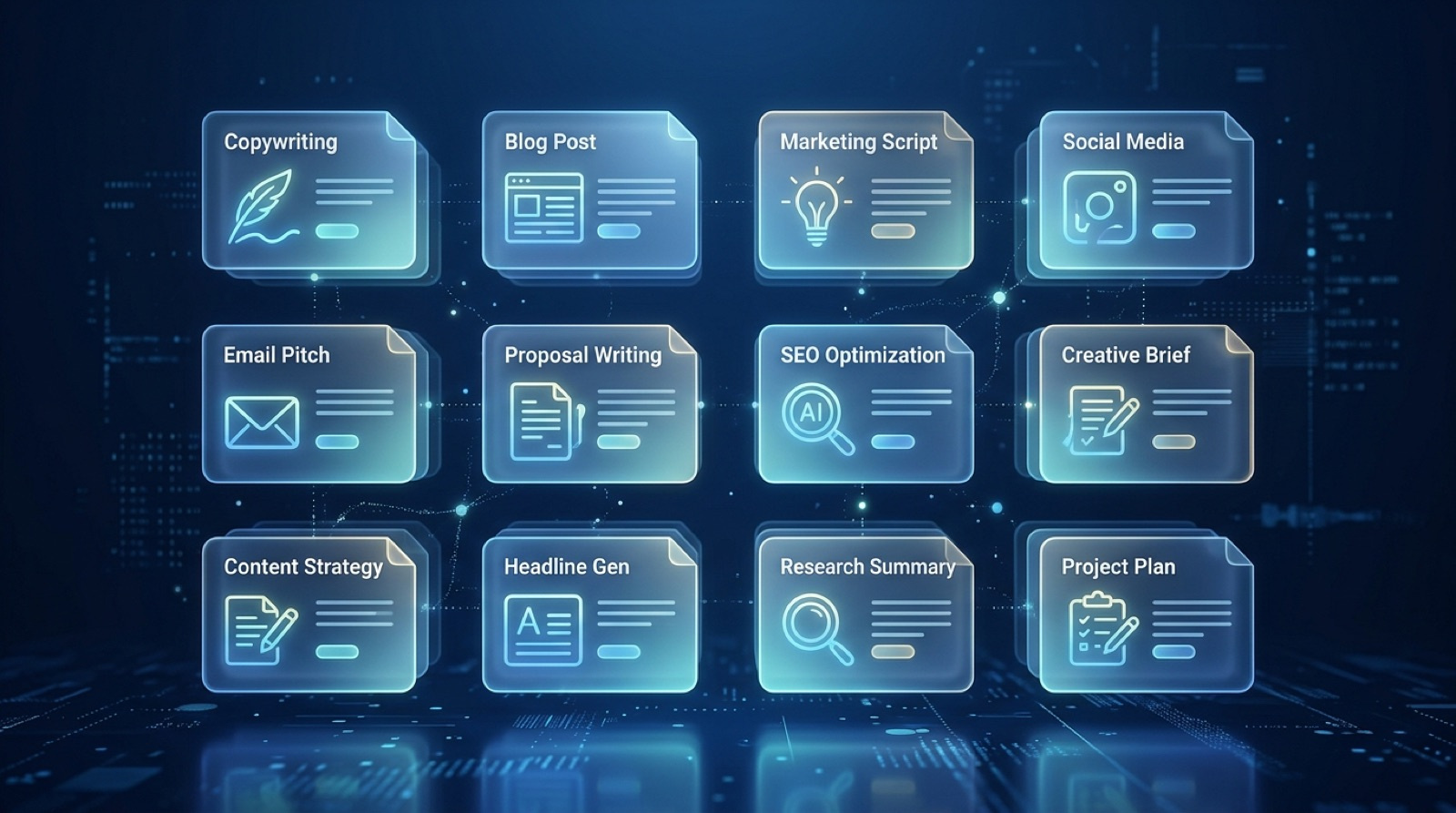
7 AI Prompt Templates That Save Freelancers 10+ Hours Every Week
If you're a freelancer still writing client emails, project proposals, and content briefs from scratch every single time, you're burning hours you don't have. The freelancers pulling ahead right now aren't working harder - they're working off templates that do 80% of the heavy lifting before they even sit down to think.
AI prompt templates are different from regular templates. A regular template is a static fill-in-the-blank document. An AI prompt template is a reusable instruction set you feed into ChatGPT, Claude, or Gemini that produces polished, customized output in under two minutes. You tweak five variables, hit send, and get something that would have taken you an hour to write manually. When you stack seven of these together, the time savings compound fast.
What you'll learn: Seven ready-to-use AI prompt templates covering the most time-consuming freelance tasks - from client proposals to social media batching - plus how to build your own template library that scales with your business.
Why AI Prompt Templates Beat Standard Templates Every Time
Standard templates are frozen in time. You write one, it gets stale, and you spend 20 minutes adapting it anyway. AI prompt templates are dynamic - you describe the context, and the AI adapts the output to fit. You get the structure you need without sacrificing the specificity that makes the output actually useful.
The difference shows up immediately in client work. A standard email template sends every prospect the same generic pitch. An AI prompt template takes your prospect's name, industry, pain point, and offer, then writes a pitch that reads like you spent an hour on it. The client experience is completely different.
There's also a compounding advantage: every time you refine a prompt template, every future use gets better. You're building an asset, not just saving time on one task. Freelancers who started building prompt libraries 12 months ago now have systems that handle 70-80% of their written communication with minimal input.
The seven templates below cover the highest-leverage tasks for most freelancers. They're written to work in ChatGPT (GPT-4o), Claude, or any capable AI model. Copy them, paste them, customize the bracketed variables, and run them.
Template 1: The Client Proposal Generator
This is the one that pays for itself in the first use. A strong proposal is the difference between winning and losing a project - and most freelancers spend 2-4 hours on each one.
You are an experienced freelance [YOUR SPECIALTY, e.g., copywriter / web designer / social media manager]. Write a professional project proposal for the following:

CLIENT NAME: [Client Name]
BUSINESS TYPE: [e.g., local restaurant, SaaS startup, e-commerce brand]
PROJECT: [e.g., redesign their website, manage their Instagram for 3 months]
KEY PAIN POINT: [e.g., their current site isn't converting visitors to customers]
MY PROPOSED SOLUTION: [e.g., a 5-page conversion-focused redesign with new copy]
TIMELINE: [e.g., 4 weeks]
INVESTMENT: [e.g., $2,500]

Structure the proposal with these sections: Executive Summary, Problem Statement, Proposed Solution, Deliverables, Timeline, Investment, Next Steps. Keep the tone confident and client-focused. No fluff. Under 600 words.
Pro tip: Save three versions of this - one for new clients, one for returning clients, and one for rush projects. The returning-client version can reference past work you've done together, which dramatically increases win rate.
Template 2: The Weekly Content Batch Prompt
Content creators and social media managers know this pain: staring at a blank screen trying to come up with five posts for the week. This template ends that.
You are a social media strategist for [BUSINESS TYPE] targeting [TARGET AUDIENCE, e.g., millennial female entrepreneurs].

Business name: [NAME]
Core offer: [PRODUCT OR SERVICE]
Brand tone: [e.g., professional but approachable, direct and no-nonsense, warm and educational]
Platform: [Instagram / LinkedIn / Facebook / X]

Create 5 posts for the week of [DATE RANGE]. Each post should:
- Open with a hook that stops the scroll in the first line
- Provide one piece of genuine value, a story, or a strong opinion
- End with a clear call to action
- Include 5 relevant hashtags at the end

Do not repeat the same content angle twice. Vary between educational, behind-the-scenes, opinion, story, and promotional.
This produces a full week of content in under 60 seconds. Spend another 10 minutes editing for voice and you're done. That's 3-5 hours back in your week, every week.
Template 3: The Client Update Email
Client communication is where freelancers quietly bleed time. Writing the same "here's where things stand" email over and over is exhausting. This template handles it in seconds.
Write a professional project update email for a client.

Project: [PROJECT NAME OR TYPE]
Client name: [FIRST NAME]
What was completed this week: [LIST 2-4 ITEMS]
What's coming next: [LIST 1-3 ITEMS]
Any blockers or questions for the client: [LIST OR TYPE "NONE"]
Expected next update: [DATE OR TIMEFRAME]

Keep the tone [professional / warm / direct]. Under 200 words. No filler phrases like "I hope this email finds you well." Get straight to the update.
The instruction to skip filler phrases is key. Most AI-generated emails default to generic openers. Explicitly banning them produces emails that actually sound like a real professional wrote them.
Template 4: The Discovery Call Summary and Next-Steps Email
After a discovery call, you have 20-30 minutes of notes and need to send a follow-up that converts the prospect into a client. This template turns your raw notes into a polished email.
I just finished a discovery call with a potential client. Here are my raw notes:

[PASTE YOUR CALL NOTES HERE - even rough bullet points work]

Using only the information in these notes, write a follow-up email that:
1. Thanks them for their time
2. Briefly summarizes the core challenge they described
3. Explains how my service addresses that challenge
4. Proposes a clear next step (e.g., send a proposal by Friday, schedule a second call)
5. Keeps the tone [warm / professional / direct]

Under 250 words. Subject line included.
This is one of the highest-ROI templates in this list. The faster you follow up after a discovery call, the higher your close rate. This gets that email out in five minutes instead of 30.
Template 5: The Service Page Copy Rewriter
If your website hasn't converted a visitor into an inquiry in the last 30 days, your copy is probably the problem. This template gives your service pages a conversion-focused rewrite.
Rewrite the following service page copy to be more compelling and conversion-focused.

Current copy:
[PASTE YOUR EXISTING COPY]

Target client: [DESCRIBE YOUR IDEAL CLIENT - industry, role, main frustration]
Core outcome they want: [e.g., more leads, save time, look more professional online]
My differentiator: [what makes you different from other freelancers in your space]

Requirements for the rewrite:
- Lead with the outcome, not the process
- Use second-person ("you" / "your") throughout
- Include 1-2 social proof signals (you can use placeholders like "[CLIENT NAME] saw X result]")
- End with a strong CTA
- Keep it under 400 words
Run this on every page of your site. Then test the new copy against your old conversion rate for 30 days. Most freelancers see measurable improvement within the first two weeks.
Template 6: The Cold Outreach Sequence (3 Emails)
Cold outreach fails because most freelancers send one generic email and give up. A three-email sequence - spaced out strategically - converts significantly better. This template writes all three at once.
Write a 3-email cold outreach sequence for a freelance [YOUR SPECIALTY].

Target prospect: [DESCRIBE WHO YOU'RE REACHING OUT TO - e.g., marketing managers at DTC e-commerce brands doing $1M-$10M in annual revenue]
What I offer: [YOUR CORE SERVICE IN ONE SENTENCE]
The main problem I solve: [BE SPECIFIC - e.g., "their email list is generating less than 1% of their revenue when it should be generating 20-30%"]
My proof point: [ONE SPECIFIC RESULT YOU'VE GOTTEN FOR A CLIENT]

Email 1 (Day 1): Short and direct. Lead with relevance, mention the problem, offer one specific insight. No pitch. Under 100 words.
Email 2 (Day 4): Brief follow-up. Add a bit of value - a quick tip or resource. Gently resurface the conversation. Under 80 words.
Email 3 (Day 9): Final check-in. Assume they're busy, not uninterested. Leave the door open. Under 60 words.

Each email needs a subject line. Keep the tone [direct / conversational / professional].
This covers a full outreach campaign in one prompt run. Personalize the first two sentences of Email 1 for each prospect and you have a system that actually gets replies.
Template 7: The Invoice and Payment Follow-Up Pack
Late payments are a freelancer's least favorite conversation. This template generates three escalating follow-up messages so you don't have to write them from scratch when the awkward moment arrives.
Write a set of 3 payment follow-up messages for an unpaid invoice.

Invoice amount: [$AMOUNT]
Due date: [DATE]
Days overdue: [NUMBER]
Client relationship: [e.g., long-term client, new client, one-off project]

Message 1 (1-3 days overdue): Friendly reminder. Assume it's an oversight. Include invoice number and payment details placeholder. Under 80 words.
Message 2 (7-10 days overdue): Firm but professional. Mention the original due date. Ask for a status update or payment date. Under 100 words.
Message 3 (14+ days overdue): Direct. Mention next steps if payment isn't received (e.g., late fees, pausing work). Keep it professional - not aggressive. Under 120 words.

Format each as a standalone email with subject line. Tone should be professional and confident throughout.
Having these pre-written (or knowing you can generate them in 30 seconds) removes the emotional weight from chasing payment. You send faster, you get paid faster.
How to Build Your Own AI Template Library
Seven templates are a strong start. The real leverage comes from building a library tailored specifically to your business. Here's how to do it systematically:
Start with your recurring tasks. For one week, every time you write something that takes more than 15 minutes - a proposal, an email, a content brief - note it. By the end of the week you'll have a clear picture of your highest-frequency tasks.
Write one prompt per task. Turn each recurring task into a template using the same structure as the examples above: role instruction, context variables, and specific output requirements. The more specific you are about format, length, and tone, the better your outputs.
Test and refine. Run each template five times on different projects. Notice where the AI makes wrong assumptions or misses the mark. Add one line to the prompt to address that gap. After five iterations, most templates become reliable enough to run with minimal editing.
Organize them where you actually work. A Notion database, a Google Doc, or a dedicated folder in your note-taking app - it doesn't matter where, it matters that you can find them in under 30 seconds. Templates you can't find fast don't get used.
Ready to skip the build phase? Our AI Template Packs include pre-built, tested prompt libraries for freelancers across 10+ service categories. Download once, customize in minutes, and start using them today.
FAQ
Can I use these templates in any AI tool? Yes. These prompt templates are written to work in ChatGPT (GPT-4o or later), Claude (3.5 Sonnet or later), and Google Gemini. Minor phrasing differences may produce slightly different results, but the structure works across all three.
Do I need to pay for a premium AI plan to use these? For occasional use, free tiers work. For daily freelance use, a paid plan is worth it - you get faster responses, longer context windows, and access to more capable models. The time savings from using these templates every day will cover the subscription cost in the first week.
How much should I edit the AI's output? Expect to spend 5-10 minutes editing each output for voice and accuracy. You're not looking for the AI to do everything - you're looking for it to handle the structural heavy lifting so you're polishing, not building from scratch. That shift from building to polishing is where the hours come from.
Are these templates safe for client-facing work? Yes, with your review. Never send AI-generated copy without reading it first. The templates are designed to produce client-ready drafts, but you're still responsible for the final output. Verify any facts, check the tone against your client relationship, and add any personal touches that make the communication feel human.
What if the AI doesn't follow my instructions? If the output misses the mark, the fix is almost always to be more specific in your prompt. Add a line that explicitly says what you don't want. For example: "Do not use bullet points" or "Do not include an introduction - start with the first section directly." Precision in the prompt produces precision in the output.
Bottom Line
The freelancers who are winning right now aren't more talented - they're more systematic. AI prompt templates are the foundation of a systematic freelance operation. The seven templates in this post cover proposals, content, client communication, outreach, and payment follow-up. Each one returns more time than it takes to learn. Start with the one that costs you the most hours right now, get it working, then move to the next.
The goal isn't to automate your personality out of your business. It's to stop spending creative energy on structural tasks so you can spend it where it actually matters - doing great work and finding the clients who pay for it.
Want the full pre-built library? Our AI Freelancer Template Pack includes 40+ tested prompt templates across proposals, client communication, content, and outreach - ready to use in any AI tool. Join the newsletter below for a free mini-pack every month.
One AI workflow, every weekday.
Tutorials, tool reviews, and automation playbooks for solopreneurs running on AI. Short, useful, and free. Unsubscribe anytime.
No pitch. No upsell. One quick AI workflow per weekday.