
The Solopreneur's Guide to Canva Magic Studio: Design Everything Your Business Needs Without a Designer in 2026
What Every Solopreneur Needs to Know About Canva Magic Studio
If you run your business alone, design is one of those chores that quietly eats your week: the Instagram graphic that took 40 minutes, the proposal cover that never looks quite right, the five resized versions of the same promo you built by hand. Canva Magic Studio — the AI layer built into Canva — exists to make that entire category of work take minutes instead of hours.
Here's what this guide covers:
- Magic Design — instant on-brand layouts
- Magic Write — AI copy inside your designs
- Magic Media — text-to-image and video
- Magic Edit & Expand — AI photo fixes
- Magic Switch — one design, every format
- Brand Kit — locked-in colors and fonts
And the core considerations you'll need to weigh:
- Free vs. Pro: which AI features are gated
- How much brand setup pays off later
- When AI-generated imagery helps vs. hurts
- Where Canva ends and a real designer begins
- How Magic Studio fits your existing AI stack
By the end, you'll know exactly which Magic Studio tools to turn on, how to set them up so everything you produce looks consistent, and a realistic sense of what to keep doing elsewhere.
AI Productivity Daily, a resource for solopreneurs and small business owners using AI to save time and grow, has tested Canva Magic Studio across real client and content workflows. In this guide, I'll show you how to turn it into a one-person design department that ships professional assets daily.
The Core Capabilities of Canva Magic Studio
Design used to be the clearest line between "solo operator" and "real business." In 2026, that line has mostly dissolved. Canva now serves more than 200 million monthly users, and its Magic Studio AI suite has matured from a novelty into a genuine production system — one that generates layouts, writes copy, creates imagery, and reformats everything for each channel you publish on. For a solopreneur, that's not a design tool. That's a design department.
Magic Design, Magic Write, and Magic Media: The Creation Engine
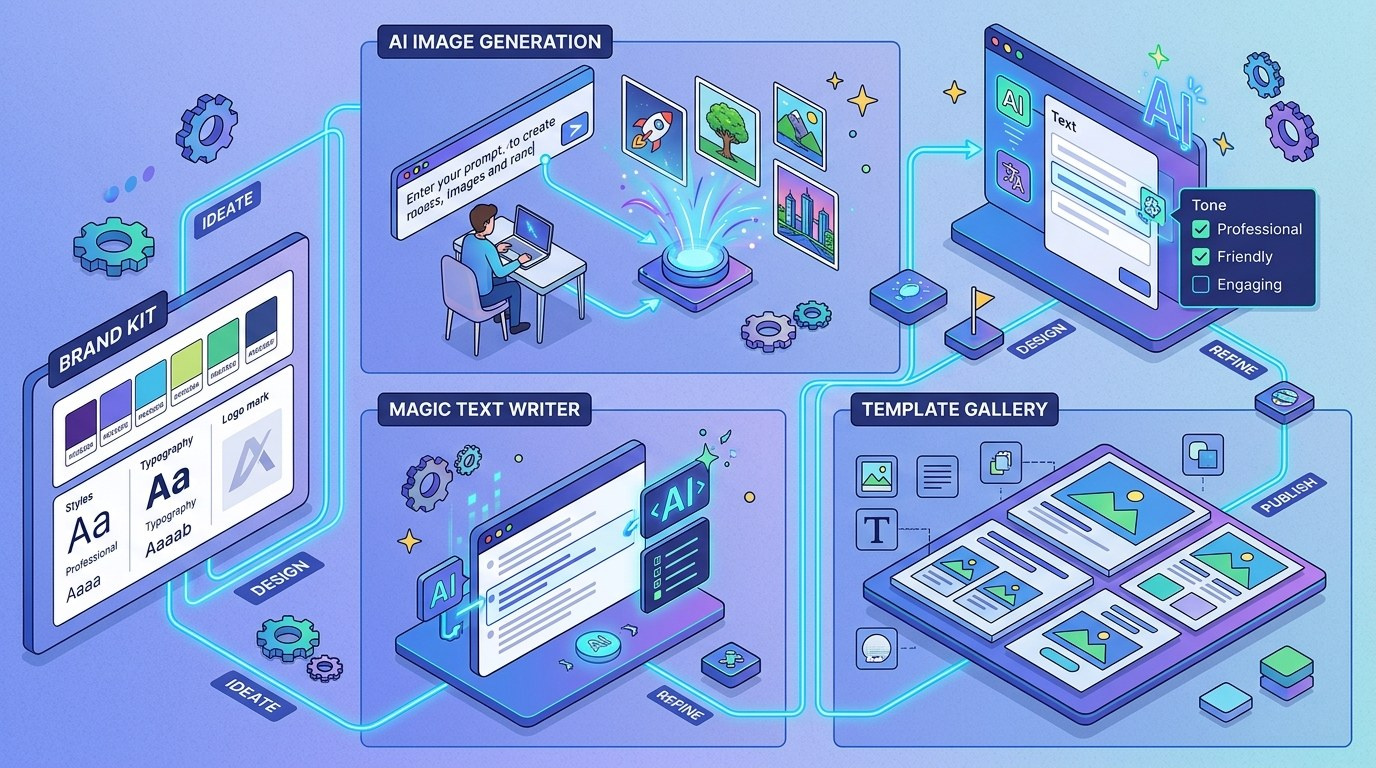
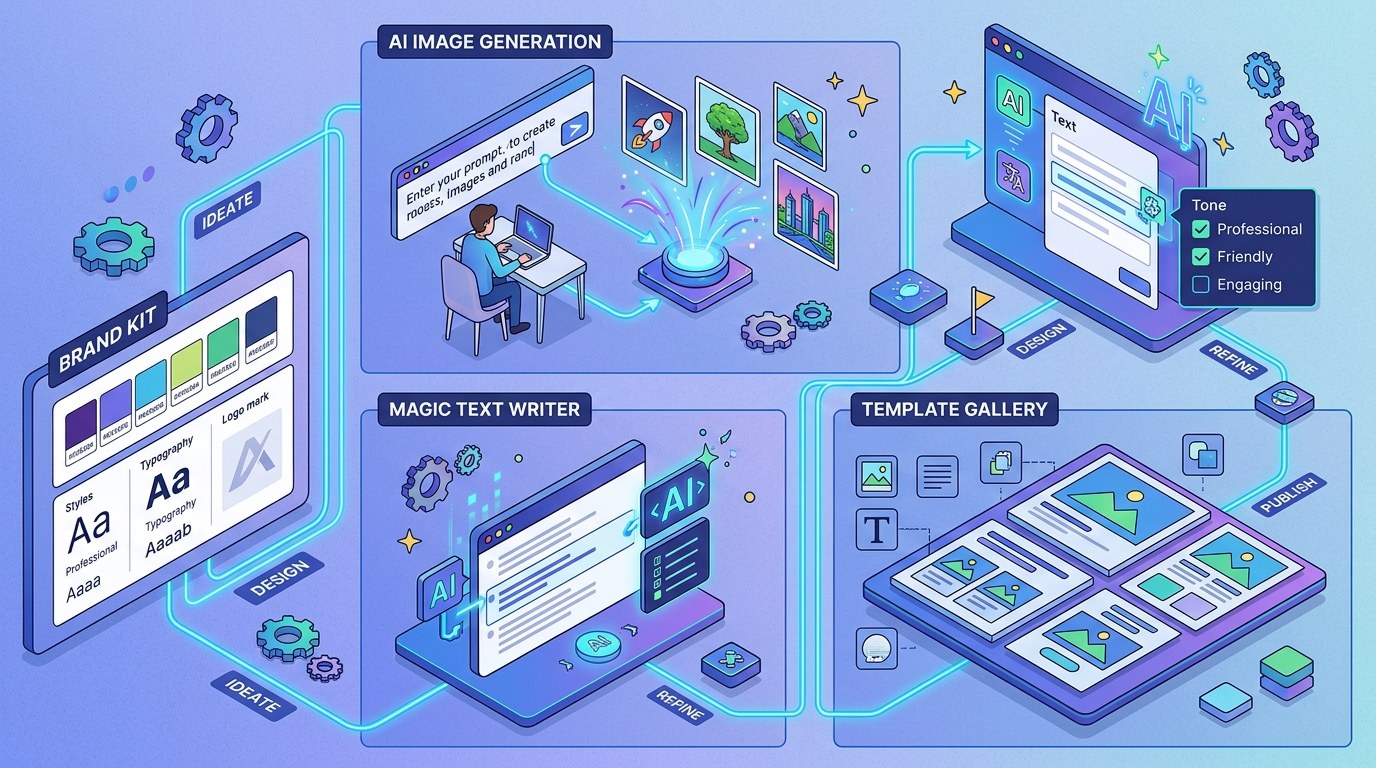
These three tools handle the "blank canvas" problem — the slowest part of any design task. Magic Design turns a text prompt or an uploaded image into complete, editable layouts. Magic Write drafts headlines, captions, and body copy directly inside your design. Magic Media generates custom images (and short video) from text, so you're no longer digging through stock photo sites for something that almost fits.
What to look for as you set these up:
- Prompt with context, not keywords — "Instagram post announcing a 20% launch discount for my candle brand, warm minimalist style" beats "sale post" every time
- Brand-aware generation — with your Brand Kit connected, Magic Design pulls your actual colors and fonts into every layout it proposes
- Editable output — everything generated is a normal Canva design; you can swap, resize, and rewrite any element
- Media licensing — AI-generated Magic Media images are yours to use commercially, which removes a whole category of stock-photo worry
The practical payoff: the distance from "I need a graphic" to "a decent first draft exists" drops from 30–40 minutes to under 2. You spend your time refining, not starting.
Magic Switch, Magic Edit, and Brand Kit: The Consistency Engine
Creation is only half the job. The other half is making one asset work everywhere — and making everything you publish look like it came from the same business. Magic Switch converts a finished design into other formats (a blog banner becomes a story, a post, an email header) and can even translate the copy. Magic Edit and Magic Expand fix photos: swap objects, remove backgrounds, extend an image that was cropped too tight.
The notable 2026 development here is how deeply Brand Kit now threads through everything. Once you load your logo, palette, and fonts, every Magic Design suggestion, every Magic Switch conversion, and every template you touch defaults to your brand. Consistency stops being a discipline you maintain and becomes a setting you configured once.
For a solopreneur, this is the quiet superpower: you can batch a month of content in an afternoon, publish across five channels, and everything looks deliberately, professionally coherent — the visual signal that customers read as "established business."
How to Choose the Right Magic Studio Tools for Your Business
Not every tool deserves a slot in your workflow. Match the tool to the job you actually have:
| Tool | Key Quality | Strengths | Best For | |---|---|---|---| | Magic Design | Instant layouts | Kills the blank-canvas stall; brand-aware | Social posts, flyers, one-off graphics | | Magic Write | In-canvas copy | Drafts headlines and captions where you design | Captions, ad copy, doc drafts | | Magic Media | Custom imagery | Unique visuals, no stock-photo hunting | Hero images, product mockups, thumbnails | | Magic Switch | Reformat + translate | One design becomes every channel's version | Repurposing, multi-platform publishing | | Brand Kit | Consistency layer | Locks colors, fonts, logos across everything | Every solopreneur, from day one |
If you only set up one thing this week, make it the Brand Kit. Every other Magic Studio feature gets meaningfully better once it exists, because AI suggestions stop being generic and start being yours — it's the single highest-leverage 20 minutes in the entire platform.
"Will my content look like AI made it?" — Practical Tips
The honest answer: only if you publish first drafts. Here's how to stay above the generic line:
- Spend 20 minutes on Brand Kit setup before anything else — upload your logo, define 3–5 brand colors, pick two fonts. This single step differentiates your output from every default-template competitor.
- Generate 3–4 Magic Design options and merge — take the layout from one, the image treatment from another. Composite results don't look templated.
- Rewrite the first sentence of any Magic Write draft — AI copy fails most visibly in openings. Fix the hook, keep the structure.
- Batch weekly, not daily — block 90 minutes once a week to produce all your visuals. Batching keeps styles consistent and stops design from fragmenting your focus.
For the broader toolkit this fits into, see our roundup of the best AI tools for solopreneurs in 2026.
Magic Studio vs. Standalone AI Image Generators — Understanding the Difference
Standalone generators (Midjourney, DALL·E, and their peers) produce a single striking image from a prompt. Magic Studio produces finished, editable, on-brand assets — the image plus the layout, copy, sizing, and export around it. One is an ingredient; the other is the meal.
The choice comes down to where your bottleneck lives. If you need occasional hero art with maximum creative control, a standalone generator wins. If your real problem is shipping complete graphics for five channels every week without losing your afternoons, Magic Studio's integrated pipeline is the better bet — and you can always import standalone art into it.
Canva Magic Studio for Every Stage of Your Business
- Pre-launch: You need a logo-ish mark, a landing page graphic, and social profiles that don't look empty. Magic Design plus a starter Brand Kit gets you credible in a weekend, for free.
- First customers: Now it's proposals, invoices, social proof graphics, and a steady content drumbeat. Magic Write and Magic Switch keep output up while you focus on delivery.
- Scaling solo: You're publishing across channels, maybe running ads, maybe selling digital products. Bulk create, Magic Switch translations, and locked brand templates let one person run what looks like a content team.
Beginner vs. Advanced Options
Canva's tiers map cleanly to business stages:
- Free — full editor, thousands of templates, and limited tastes of most Magic tools. Right for validating an idea before spending anything.
- Pro (~$15/month) — the real unlock: full Brand Kit, unlimited Magic Studio usage on most tools, premium templates, background remover, and scheduled social publishing. This is the tier most working solopreneurs should be on; it typically replaces 2–3 single-purpose subscriptions.
- Teams — shared brand controls and approvals. Worth it only when you add your first contractor or VA and need them producing on-brand without supervision.
Customization and Workflow Integration
The bigger 2026 trend is that design tools stopped being destinations and became pipeline stages — Canva now sits between your AI writing tools and your publishing calendar rather than replacing either. Three ways to wire it into your workflow:
- Template-first production: design one master template per content type (quote post, promo, carousel cover), then let Magic Write fill each instance — 10 minutes for a week of posts.
- Draft elsewhere, design in Canva: pipe outlines from Claude or ChatGPT into Magic Write for tightening, so each tool does what it's best at.
- Schedule from inside Canva: Pro's content planner publishes directly to your social accounts, removing an entire export-upload-schedule loop.
Why This Matters for Solopreneurs Running Lean in 2026
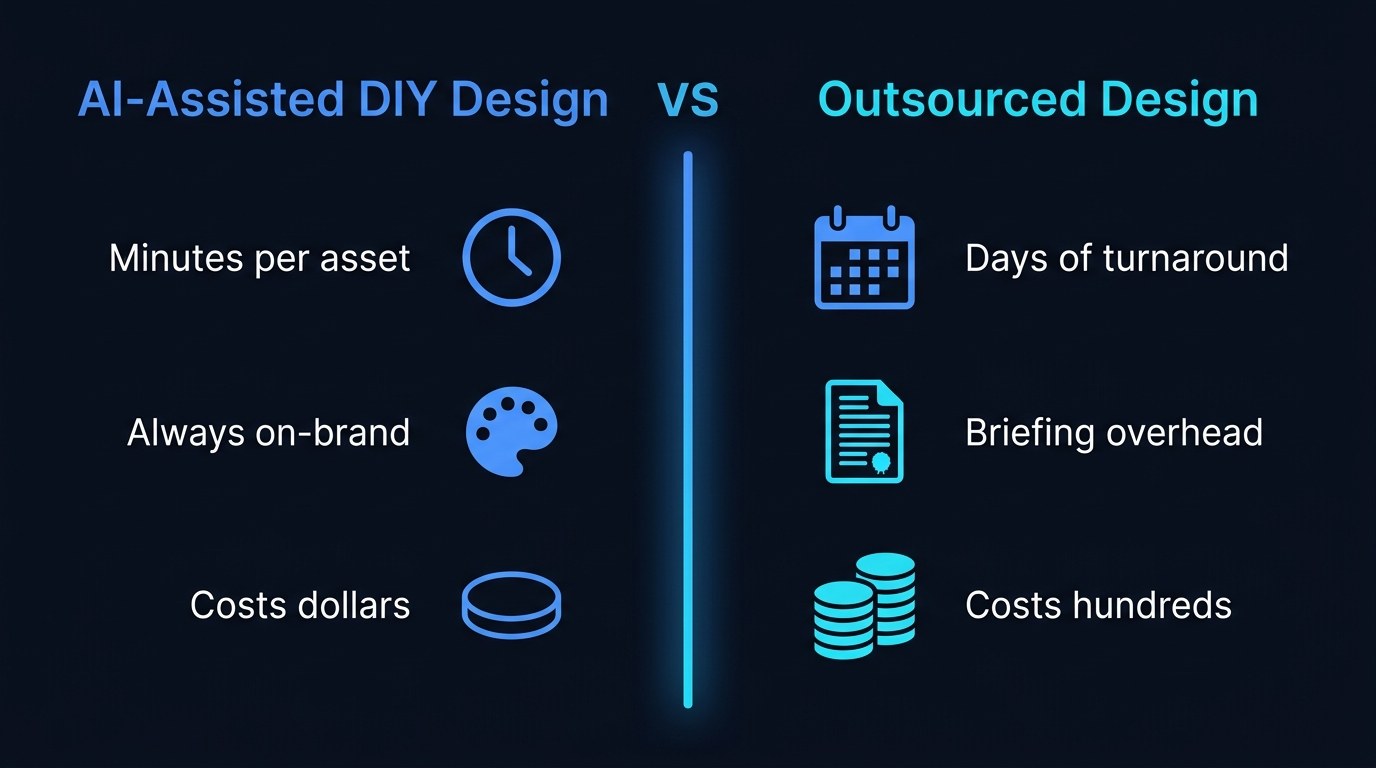
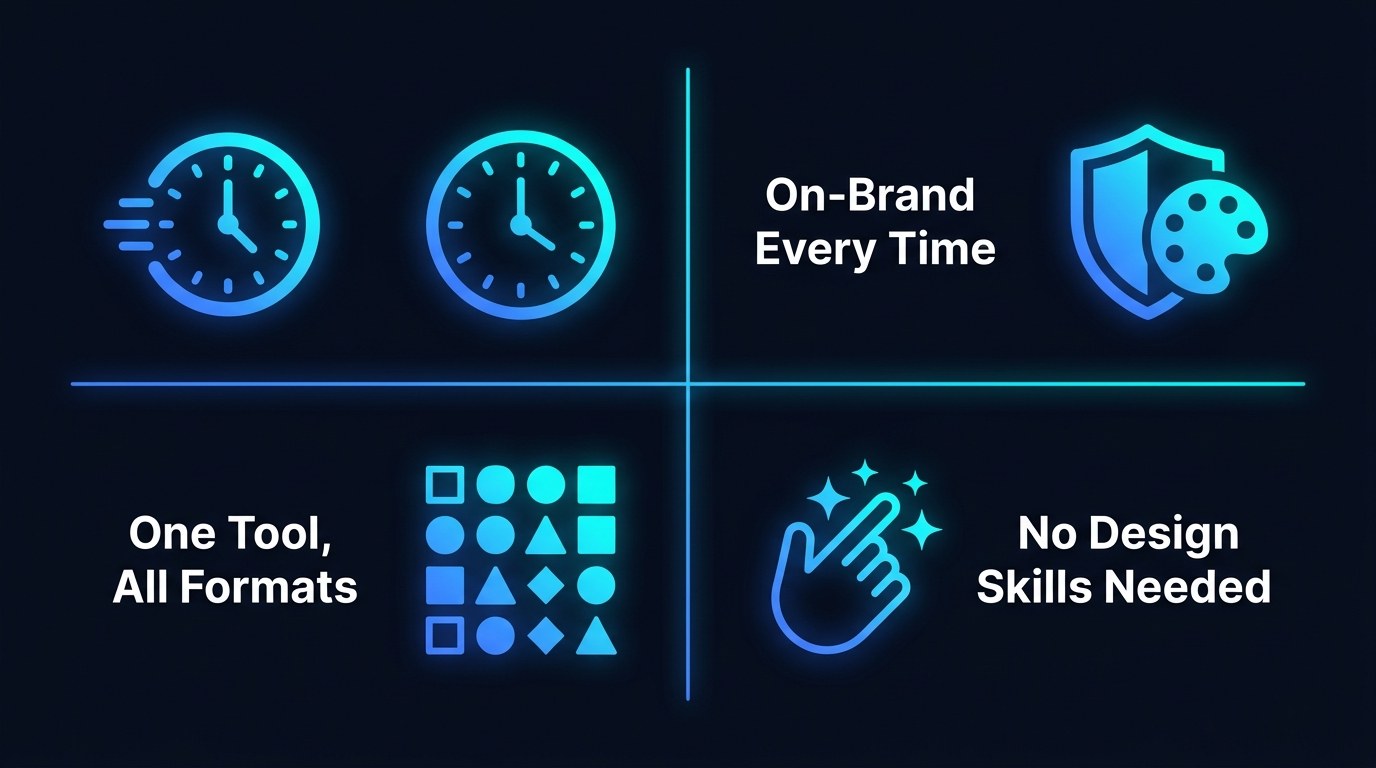
If you've been treating design as a "later" problem — or quietly paying for one-off freelance graphics that take a week to arrive — that hesitation made sense when the alternative was learning Photoshop. It doesn't anymore. The framework above is genuinely a one-afternoon setup with compounding returns.
- Time is the real product. Reclaiming 3–5 hours a week from design chores is like hiring a part-time assistant for $15/month.
- Brand consistency compounds. Coherent visuals across every touchpoint are the cheapest trust signal available to a one-person business.
- Speed changes what you attempt. When a promo graphic costs 10 minutes, you test offers you'd never have bothered designing for.
- It future-proofs your stack. Canva keeps absorbing adjacent tools (docs, sheets, video, websites) — skills you build here keep paying off.
Getting the Most Out of Magic Studio
- Build a "brand prompt" note. Keep a saved paragraph describing your visual style ("clean, warm, cream background, terracotta accents, no gradients") and paste it into every Magic Media prompt. Instant consistency.
- Use Magic Switch for languages, not just sizes. If any slice of your audience speaks another language, one-click translated versions of your best content is nearly free reach.
- Turn winners into templates. When a post performs, save it as a brand template immediately — your future self gets a proven layout in one click.
- Audit monthly, 15 minutes. Once a month, scan everything you published. If quality drifted, tighten your templates rather than working harder per-post.
Pair this with the prompt systems in our solopreneur prompting playbook and your copy and visuals both come off the same assembly line.
Frequently Asked Questions About Canva Magic Studio
Do I need Canva Pro to use Magic Studio?
No — the free tier includes limited uses of most Magic tools, which is plenty for evaluating them. But the features that make it a business system (full Brand Kit, unlimited generations, scheduling) live in Pro at roughly $15/month. Most solopreneurs outgrow free within their first serious month of content.
What's the fastest way to get set up?
One focused hour, in this order:
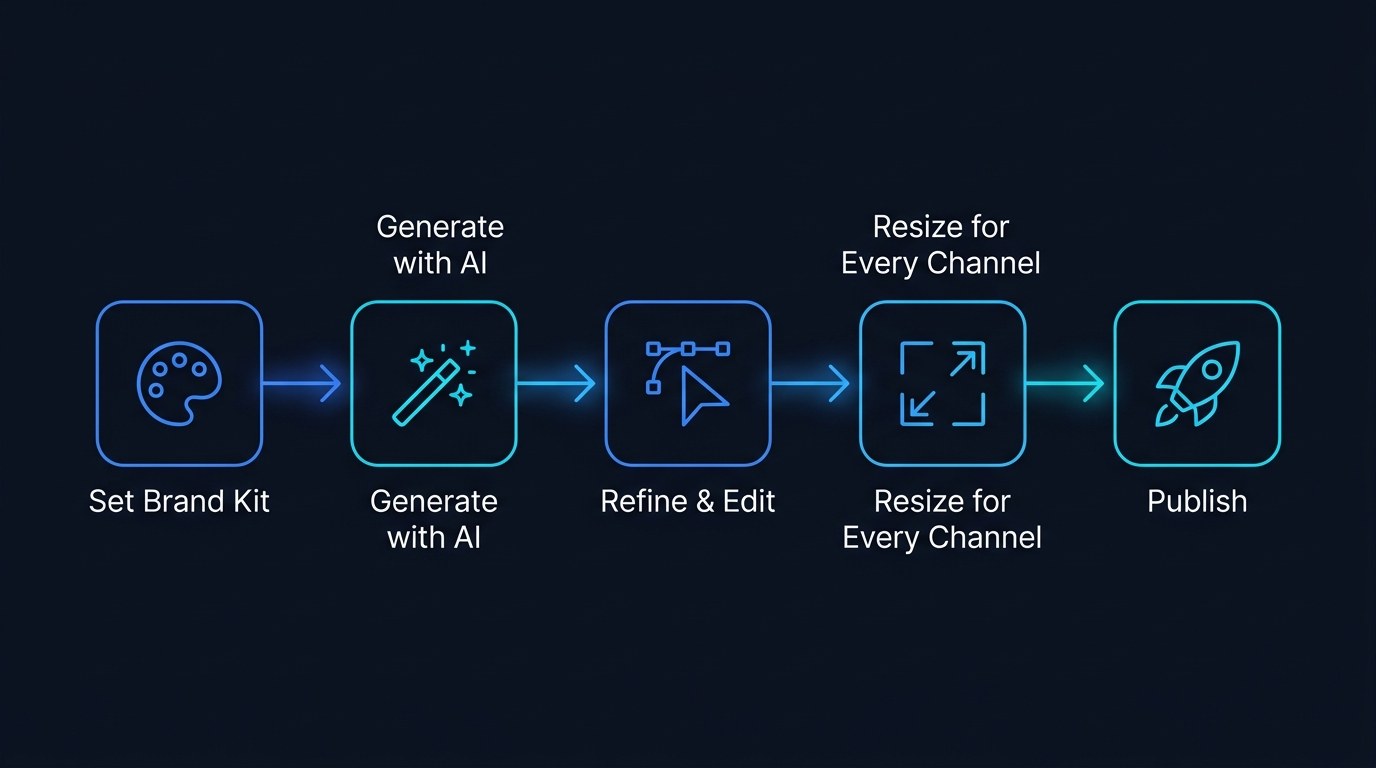
- Upload your logo, colors, and two fonts into Brand Kit (20 min)
- Generate and refine one master template per content type you publish (25 min)
- Test Magic Switch by converting one finished design into three other formats (10 min)
- Save everything as brand templates so next week starts at 90% done (5 min)
Can I use Magic Media images commercially?
Yes — Canva's terms allow commercial use of AI-generated content in your projects, with the standard caveat that you can't resell the raw generated images as stock or trademark them as logos. For product mockups, social graphics, and blog heroes, you're clear. If you're building a logo you intend to trademark, invest in a human designer for that one asset.
Conclusion
The point was never to make you a designer. It's that "looking professional" — the thing that used to require hiring, briefing, waiting, and paying — is now a settings screen and a habit. A one-person business that ships polished, consistent visuals every week doesn't just save money on design; it reads as bigger, steadier, and more trustworthy than it has any right to on paper. That perception gap is yours to exploit.
Want more of what's actually working? Start with the free AI Morning Brief at aiproductivitydaily.com/free-tools — a daily digest of what's moving in AI, filtered for solopreneurs.
One AI workflow, every weekday.
Tutorials, tool reviews, and automation playbooks for solopreneurs running on AI. Short, useful, and free. Unsubscribe anytime.
No pitch. No upsell. One quick AI workflow per weekday.