

The Solopreneur's Guide to Structured Output Prompting: Get AI Answers You Can Actually Use in 2026
What Every Solopreneur Needs to Know About Structured Output Prompting
You get a good answer out of the AI, and then you spend eleven minutes reformatting it. You copy a name here, a price there, delete the friendly preamble, fix the bullet that became a paragraph. The thinking took thirty seconds. The cleanup took the rest of your morning.
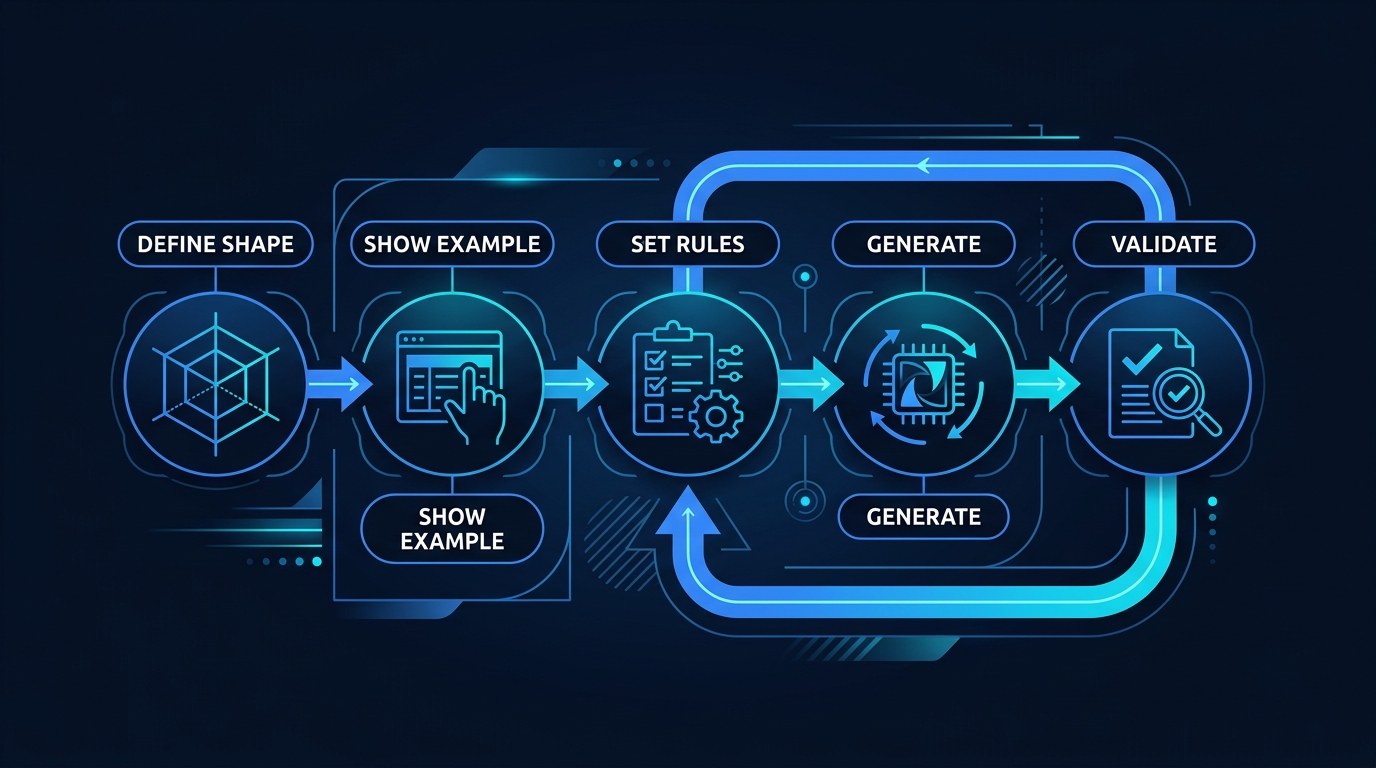
Structured output prompting is the fix. Instead of asking for an answer, you ask for an answer in a specific shape — a table with named columns, a list with fixed fields, a block your spreadsheet or automation can read without you touching it.
The formats worth knowing:
- Fixed-column tables — comparisons, pricing, content calendars
- Labeled field blocks — one record per item, same labels every time
- JSON or CSV — machine-readable, feeds directly into tools
- Numbered templates — repeatable documents like briefs and proposals
- Constrained lists — exactly five items, exactly eight words each
- Scored records — a value plus a rating you can sort by
The considerations that decide whether it works:
- How the output gets used downstream — read by you, or read by software
- Whether every record needs the same fields, or some are optional
- What the AI should do when it genuinely doesn't know a value
- How long the format needs to stay stable across sessions
- Whether you'll reuse the prompt weekly or run it once
- How much you can verify at a glance versus what needs checking
By the end of this guide you'll be able to write a prompt that returns work in a fixed format, know which format fits which job, and stop treating AI output as something you have to rewrite before you can use it.
AI Productivity Daily, a resource for solopreneurs and small business owners using AI to save time and grow, has covered prompting techniques across the whole spectrum — from few-shot examples to chain-of-thought reasoning. In this guide, I'll show you the one technique that changes the output rather than the thinking, and why it's the highest-leverage habit for anyone running lean.

The Core Formats of Structured Output Prompting
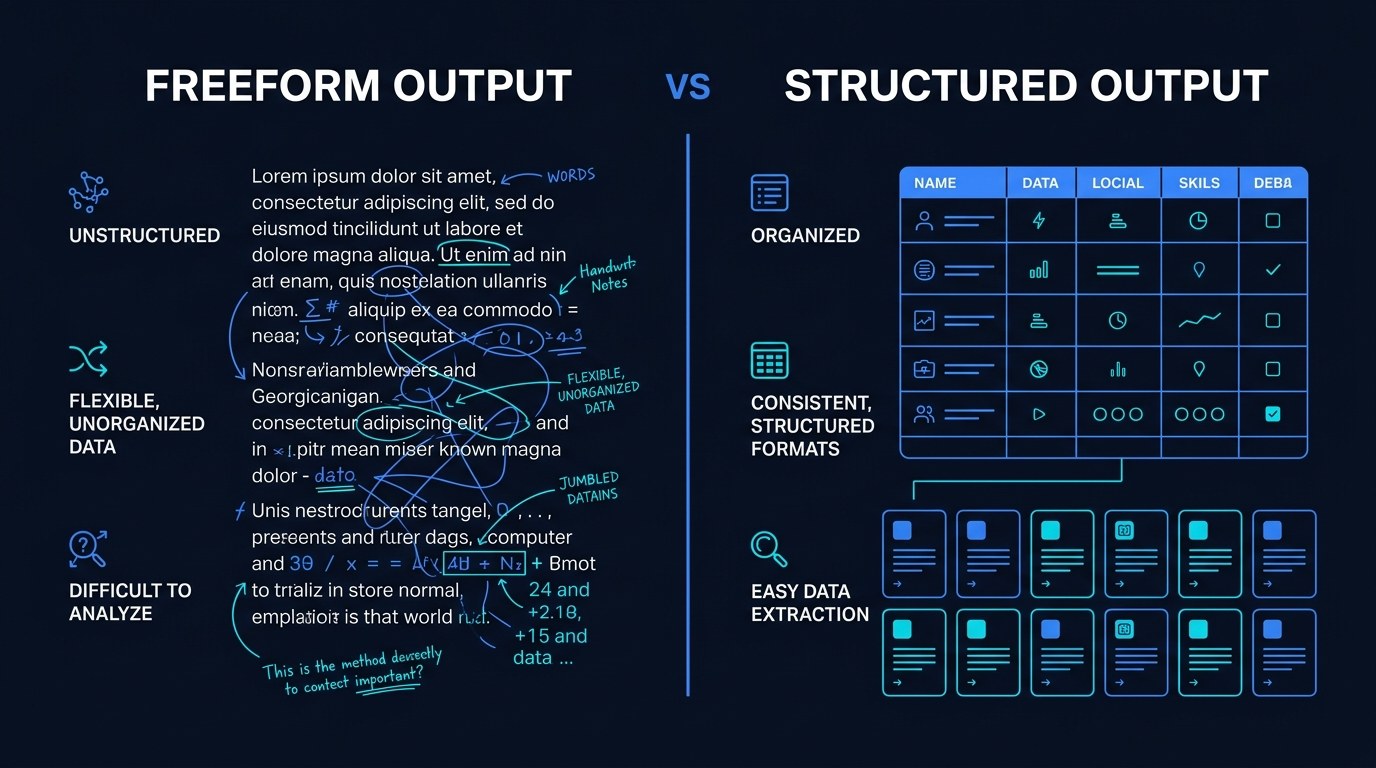
Here's the thing most people miss about 2026-era models: they follow format instructions far more reliably than they follow content instructions. Ask for "a good summary" and you get a coin flip. Ask for "three rows, columns Problem / Evidence / Next Step, no preamble" and you get exactly that, run after run. Every major model now exposes some form of schema-constrained or structured output mode in its API, and the same underlying discipline works perfectly well through a normal chat window — you're just writing the schema in plain English instead of JSON.
The practical consequence is that formatting is the cheapest reliability you can buy. You aren't asking the model to be smarter. You're removing the part of the task where it has to guess what you wanted the answer to look like.
Tables and Field Blocks — The Everyday Workhorses
Most solopreneur work isn't a document. It's a set of comparable things: five tools you're evaluating, twelve blog topics, eight overdue invoices, three vendor quotes. The moment items are comparable, a table beats prose, because a table forces the AI to fill every cell — including the ones it would have quietly skipped in a paragraph.
What to specify when you ask for a table:
- Exact column names, written out — not "include pricing info" but "column header: Monthly Price (USD)"
- Row count or row source — "one row per tool listed below," or "exactly five rows"
- Cell format — "prices as $XX/mo," "dates as YYYY-MM-DD," "max 12 words per cell"
- A rule for unknowns — "write
Unknownrather than estimating"
That last one is the difference between a table you can trust and a table you have to fact-check line by line. Without it, empty cells get filled with plausible guesses. With it, the gaps announce themselves and you know exactly where to look.
Field blocks work the same way for items that don't fit a grid — a client brief, a product listing, a candidate summary. Same labels, same order, one block per item. You get something you can skim vertically and something a script can parse, from the same output.
Machine-Readable Formats — When Output Becomes Input
The second category matters when the AI's answer isn't the finish line. If the output feeds a Zapier step, a Google Sheet, a Make scenario, or a script, it needs to be parseable — CSV or JSON, no commentary, no markdown fences unless you asked for them.
This is where structured prompting stops saving you minutes and starts removing steps entirely. A prompt that returns clean CSV can be piped straight into a sheet. A prompt that returns clean JSON can drive an automation without a human in the middle. Through 2026 the shift worth noticing is that the AI step is increasingly inside the workflow rather than beside it — and the only thing that makes that safe is output you can predict before you see it.
The practical benefit for a one-person business is blunt: every format you standardize is a handoff you never have to supervise again.
How to Choose the Right Output Format for Your Business
| Format | Key Quality | Strengths | Best For | |---|---|---|---| | Markdown table | Scannable grid | Easy to eyeball, pastes into docs and Notion | Comparisons, calendars, research summaries | | Labeled field block | Consistent records | Handles long text, reads well vertically | Briefs, listings, client profiles | | CSV | Spreadsheet-native | Drops straight into Sheets or Excel | Bulk data, lists you'll sort or filter | | JSON | Machine-readable | Nested data, feeds automations reliably | Zapier/Make steps, scripts, APIs | | Numbered template | Repeatable document | Same structure every time, easy to review | Proposals, SOPs, recurring reports |
If you only adopt one, make it the markdown table with explicit column names. It's the highest-value default because it works in every tool you already use, it survives copy-paste into email and Notion without mangling, and it's readable enough that you'll actually catch an error — which is more than can be said for a wall of JSON you skim and trust.
"But My Output Still Drifts After a Few Runs" — Practical Tips
Format drift is the most common complaint, and it's almost always fixable with four small habits.
- Put the format spec last. Models weight the end of a prompt heavily. Context first, task second, format requirements final — right before the model starts writing.
- Show one filled-in example row. A single concrete example does more for consistency than three sentences describing the format. This is few-shot prompting applied to structure instead of style.
- Say what not to include. "No introduction, no closing summary, no explanation outside the table" removes about 90% of the cleanup you'd otherwise do by hand.
- Cap the length inside the format. "Max 15 words per cell" or "each field under 40 words" keeps a table from turning into paragraphs wearing a grid costume.
Strict Formats vs. Loose Formats — Understanding the Difference
A strict format specifies every column, every rule, and every fallback. A loose format names the shape and lets the model fill in the details — "give me a comparison table with whatever columns matter here."
The choice comes down to one question: are you exploring, or are you executing? When you don't yet know what the right columns are, a loose format is genuinely useful — the model's column choices tell you what dimensions matter. Once you know, lock it down. Anything you'll run more than twice, or that feeds another tool, should be strict. Loose formats are for discovery. Strict formats are for production.
Structured Output for Every Stage of Your Business
- Just getting organized — You're using AI ad hoc and rewriting most of what it gives you. Start with one table format for research and comparisons. That single habit removes the largest share of your reformatting time.
- Running repeatable work — You have weekly outputs: content plans, client updates, competitive checks. Save two or three prompts with locked formats so every week's output looks identical and takes ten seconds to review.
- Automating past yourself — AI output feeds tools rather than eyes. Move to CSV and JSON, add explicit unknown-handling rules, and validate the shape before anything downstream acts on it.
Beginner vs. Advanced Options
- Beginner (plain-English table spec): Name your columns in the prompt, add "no preamble." No tools, no setup, works in any chat window. Right for anyone still reformatting output by hand. Cost: nothing but a few extra lines of prompt.
- Intermediate (saved templates with example rows): A small library of reusable prompts, each with a locked format and one sample row. The meaningful upgrade — this is where output becomes genuinely predictable across sessions and models. Best for anyone with recurring weekly deliverables.
- Advanced (schema-enforced output in automations): JSON schemas, structured output modes, and a validation step before downstream actions run. Justified when AI output moves without you watching it — and at that point the validation matters more than the prompt.
Customization and Workflow Integration
The 2026 pattern worth copying is treating your formats as company assets rather than one-off requests. The businesses getting the most out of AI aren't writing better prompts each time — they're reusing the same six formats and only changing the input.
Three ways to make it yours:
- Name your formats — "client brief block," "content table v2." Named things get reused; unnamed things get rewritten.
- Keep a filled-in gold example for each — one real output you were happy with, pasted into the prompt as the reference.
- Version them when they change — so a downstream sheet or automation never silently receives a shape it wasn't built for.
Why This Matters for Solopreneurs Running Lean in 2026
If this feels like overhead — more instructions, longer prompts, extra rules — that's a fair instinct, and it's worth naming. But run the arithmetic on where your time actually goes. The prompt takes an extra ninety seconds to write once. The reformatting takes ten minutes every single time you run it. Structure is the rare kind of overhead that pays for itself on the second use and is pure profit thereafter.
What you actually get back:
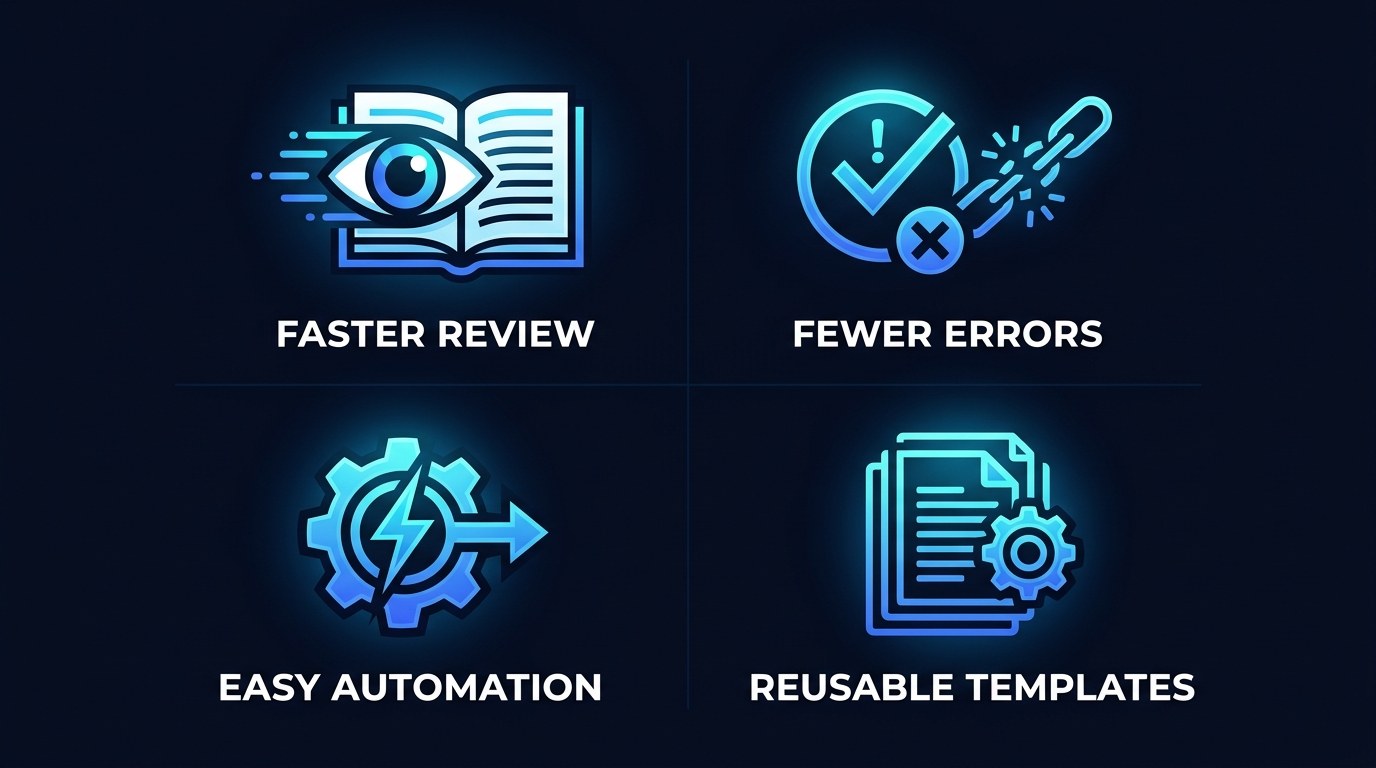
- Faster review — a fixed shape means your eye knows where to land, so checking output takes seconds instead of a full read
- Fewer errors — required fields make gaps visible instead of letting them hide inside confident prose
- Automation you can trust — predictable output is the entire prerequisite for taking yourself out of the loop
- Compounding reuse — every format you lock down is a decision you never make again
Getting the Most Out of Structured Output Prompting
- Convert your three most-repeated prompts first. Not all of them — the three you actually run weekly. Add explicit formats and save them to your prompt library.
- Always include an unknown rule.
Unknown,N/A, orNeeds verification— pick one and use it everywhere. Guessed values that look real are the most expensive failure mode there is. - Test the same prompt on two different models. A format that holds across both is genuinely robust. One that only works on your favorite model is a dependency you didn't choose.
- Read the first output slowly, then trust the format. Verify the shape once, carefully. After that you're only checking the content — which is the whole point.
Frequently Asked Questions About Structured Output Prompting
How do I ask for a specific format without a long, complicated prompt?
Three lines is usually enough: name the format, list the exact fields or columns, and say what to leave out. Something like "Return a markdown table. Columns: Task, Owner, Due Date, Status. No introduction or summary text." Length isn't what makes format instructions work — specificity is.
What happens when the AI doesn't have the information for a field?
Without a rule, it fills the gap with something plausible, and that's the failure mode that costs you most. Set the rule explicitly:
- Pick one placeholder and use it consistently —
Unknownis fine - Tell the model never to estimate or infer a missing value
- Ask for a short flag or note when a field is uncertain rather than missing
- Scan for placeholders first when you review, before reading anything else
Can I use the same format across ChatGPT, Claude, and Gemini?
Mostly, yes — plain-English format specs are portable, and a table request behaves similarly across all three. The caveat is that each model has default habits: some add a closing summary unless told not to, some wrap tables in code fences. Test your format once on each model you use, add whatever "do not" line that particular model needs, and save that variant.
Conclusion
The gap between people who get a lot out of AI and people who get a little is rarely about prompt cleverness. It's about whether the output arrives in a form they can use, or a form they have to fix. Structure is what closes that gap — not by making the AI smarter, but by removing the last step where your time quietly disappears. Once your output has a shape, it can move: into a sheet, into an automation, into a client's inbox, without passing through you first.
Start with the free AI Morning Brief at aiproductivitydaily.com/free-tools — a daily digest of what's moving in AI, filtered for solopreneurs.
One AI workflow, every weekday.
Tutorials, tool reviews, and automation playbooks for solopreneurs running on AI. Short, useful, and free. Unsubscribe anytime.
No pitch. No upsell. One quick AI workflow per weekday.