
The Solopreneur's Guide to ElevenLabs: Add Professional Voice to Your Content Without a Studio in 2026
What Every Solopreneur Needs to Know About AI Voice
You've probably written a video script, opened your phone to record the voiceover, and then abandoned the whole thing because your room echoes, the neighbor's dog started barking, and take seven still sounded stiff. Audio is the step where solo content operations quietly die — not because the writing is hard, but because recording is a physical process that demands a quiet room and a good day.
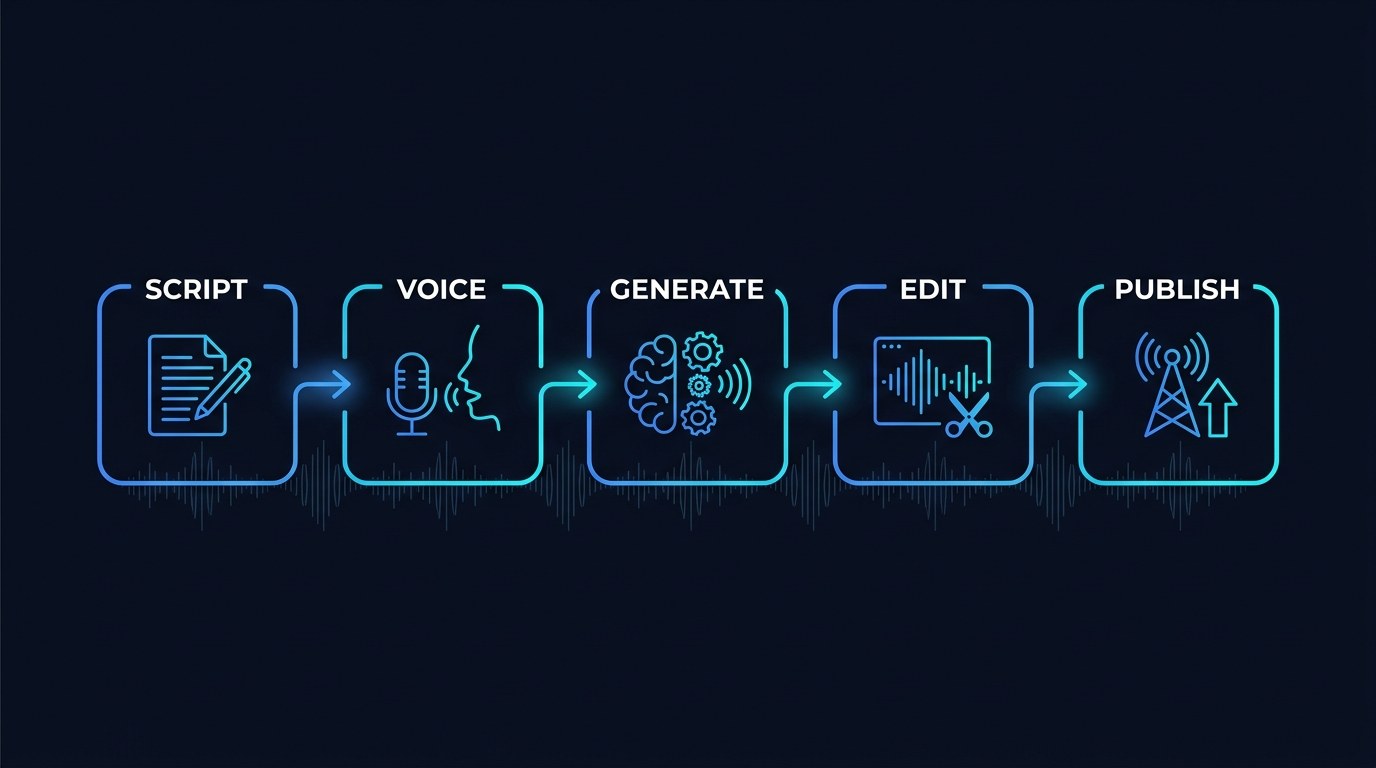
Here's what this guide covers:
- Text-to-speech — scripts into finished narration
- Voice cloning — your own voice, on demand
- Multilingual dubbing — one recording, many languages
- Voice design — building a character voice from scratch
- Long-form narration — audiobooks and full podcast episodes
- API and automation — audio generated on a trigger
And here's what you need to weigh before you commit:
- Disclosure expectations — when to tell your audience
- Consent and rights — whose voice you're allowed to clone
- Quality ceiling — where AI still sounds like AI
- Cost per minute — character limits versus your real volume
- Editing overhead — how much cleanup each clip needs
- Platform rules — where synthetic audio is restricted
By the end, you'll know which audio jobs to hand to AI, which to keep recording yourself, and how to set the whole thing up in an afternoon.
AI Productivity Daily, a resource for solopreneurs and small business owners using AI to save time and grow, has tested voice generation across content, client, and product work. In this guide, I'll show you the three places AI voice genuinely replaces a recording session — and the one place using it will cost you audience trust.
The Core Capabilities of AI Voice Tools for a One-Person Business
Synthetic speech crossed a threshold somewhere in the last two years. The robotic cadence that made text-to-speech unusable for anything client-facing is gone from the top tools, replaced by output that most listeners can't reliably distinguish from a human read in short clips. Voice is also the fastest-growing surface in content: podcasting audiences have grown steadily year over year, and short-form video — where narration is nearly mandatory — remains the highest-distribution format on every major platform in 2026.
For a solo operator, the shift isn't "now I can fake a voice." It's that audio stopped being a scheduled event. You no longer need a quiet hour, a decent room, and the right energy. You need a script and four minutes.
Text-to-Speech and Voice Cloning
These are the two capabilities that carry almost all the practical value. Text-to-speech turns a script into narration using a library voice. Voice cloning trains on samples of your own speech and then reads any script in something close to your voice — which matters enormously if your brand is you.
What to look for when evaluating any voice tool:
- Naturalness under length — most tools sound great for fifteen seconds; test a three-minute read before you trust one, because drift and flatness show up late
- Pacing and emphasis control — the ability to slow a line down or stress a word is what separates usable narration from a monotone
- Pronunciation overrides — you will need to teach it your business name, your clients' names, and any industry term it mangles
- Clean output formatting — proper file types and sample rates so you're not re-encoding before every upload
The realistic outcome: your own cloned voice handles the routine reads — video narration, course modules, audio versions of posts — while you keep the microphone for anything where genuine emotion carries the message.
Multilingual Dubbing and Voice Design
Dubbing is the capability most solopreneurs overlook and the one with the largest asymmetric payoff. You record or generate audio once, and the tool produces the same content in other languages while preserving the voice character. For anyone selling a digital product, a course, or content-driven services, that's access to audiences you had structurally written off.
The broader 2026 trend is voice becoming a brand asset rather than a production step. Businesses are designing a consistent voice — a specific tone, pace, and character — and applying it across every touchpoint: video, phone greetings, product walkthroughs, onboarding audio. Consistency at that level used to require a hired voice actor on retainer.
The practical application is smaller than it sounds and more useful. One solopreneur I'd point to as the model use case narrates every short-form video with a cloned voice, publishes Spanish and Portuguese versions of the same clips, and spends zero additional recording time to triple their addressable audience.
How to Choose the Right Voice Approach for Your Business
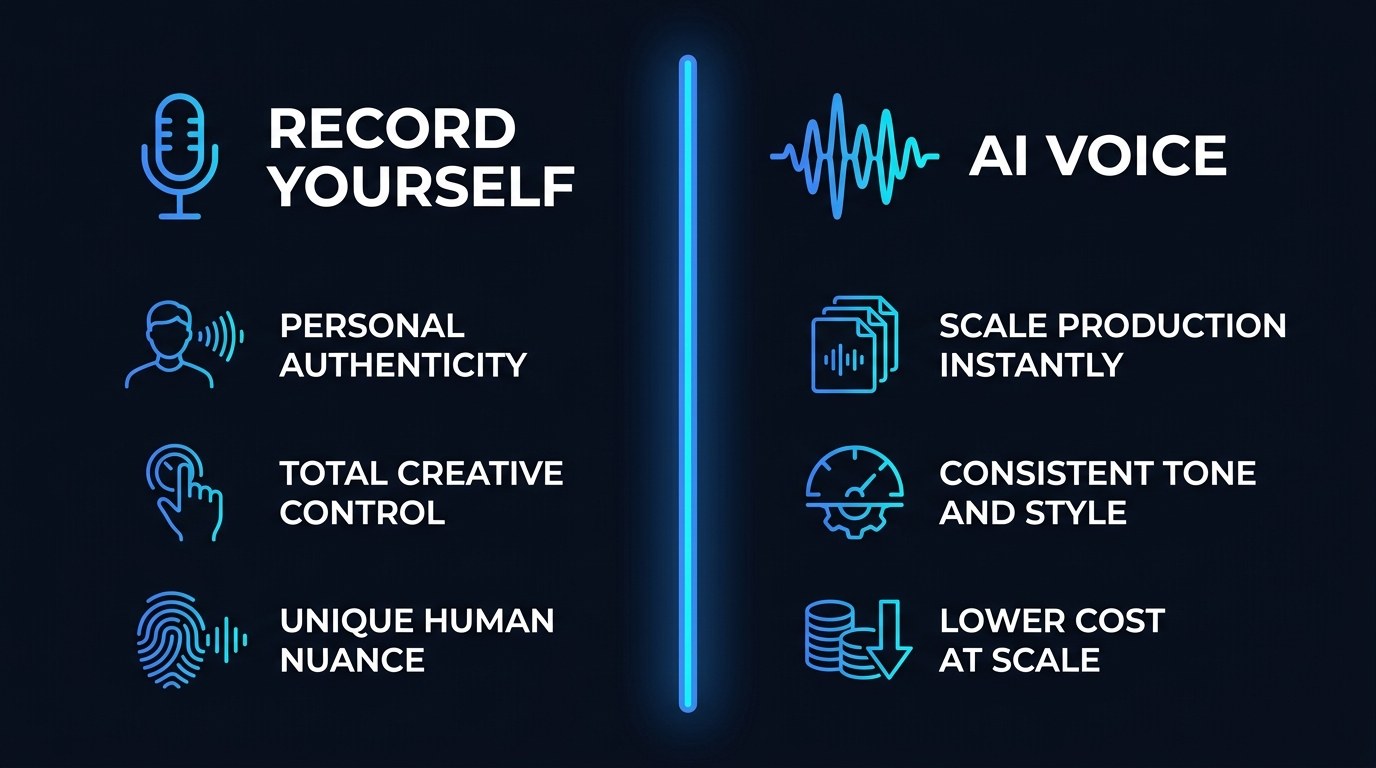
The choice isn't "AI or human." It's which audio job goes where. Here's how the realistic options compare.
| Option | Key Quality | Strengths | Best For | |---|---|---|---| | Record yourself | Maximum trust | Real emotion, zero disclosure questions, no licensing risk | Sales videos, personal storytelling, anything persuasive | | Cloned voice (your own) | Scale without losing identity | Sounds like you, available at 2 a.m., consistent energy every take | Routine narration, course modules, audio blog versions | | Stock library voice | Fastest and cheapest | No training setup, wide range of tones, instantly usable | Explainers, product demos, faceless content channels | | AI dubbing | Reach you can't get otherwise | Same content in multiple languages, voice character preserved | Digital products and content aimed at global audiences | | Hired voice actor | Highest ceiling on delivery | Genuine performance, direction, nuance AI still misses | Brand launches, ads, anything where delivery is the product |
If you're picking one place to start, clone your own voice and point it at the narration you're already skipping. That's the highest-return choice because it attacks the specific bottleneck — you not recording — without asking your audience to accept an unfamiliar voice. Stock voices are fine for faceless content, but if your face and name are on the business, an unfamiliar voice reads as outsourcing.
"Will My Audience Feel Deceived?" — Practical Tips
This is the right thing to worry about, and it's manageable with a few rules you set once.
- Disclose on anything long-form. A single line in your show notes or description — "narration generated with AI from my own voice" — costs you nothing and protects you completely. Most audiences don't mind; they mind finding out later.
- Never clone a voice you don't own or have written permission to use. This includes clients, guests, and public figures. Get consent in writing and keep the file. There is no version of this that ends well otherwise.
- Keep your face and real voice on sales content. Persuasion runs on perceived sincerity. Use AI for the 80% that's informational and record the 20% that asks for money — the split takes about 15 minutes a week.
- Listen to every clip once at full speed before publishing. AI mispronounces names and numbers in ways that read as careless. Our free tools roundup covers the lightweight audio editors worth pairing with this.
Free Tier vs. Paid — Understanding the Difference
Free tiers on voice tools give you a monthly character allowance, access to library voices, and usually enough to produce a handful of short clips. It's genuinely sufficient for testing whether the output clears your quality bar, and you should never pay before you've heard your own script in your own ear.
Paid tiers unlock the things volume creators actually need: voice cloning, higher character limits, commercial usage rights, and the API. That last one matters most — commercial rights are frequently gated behind a paid plan, so if the audio touches anything you sell, check the license before you publish rather than after.
AI Voice for Every Stage of Your Business
- Just starting out — You're publishing inconsistently and audio is the reason. Use a free tier and a stock voice to narrate short videos. The goal is shipping a consistent cadence, not perfect production.
- Getting traction — You have an audience and a recognizable presence. This is when cloning your own voice pays: you keep the identity your audience knows while removing the scheduling constraint that caps your output.
- Scaling past yourself — You're selling products or serving clients at volume. Add dubbing to reach new language markets, and wire the API into your publishing pipeline so audio generates automatically when a script is approved.
Beginner vs. Advanced Options
Take these in order. Skipping ahead is how people end up paying for capacity they never use.
- Beginner (free tier, library voice): Short narration, testing scripts, hearing how your writing sounds read aloud. Right for anyone still deciding whether audio belongs in their content mix. Cost: nothing.
- Intermediate (paid plan, cloned voice): Adds your own voice, real character volume, and commercial usage rights. The meaningful upgrade — this is where audio stops being an experiment and becomes part of your weekly output. Best for consistent publishers.
- Advanced (higher tier plus API): Adds programmatic generation, dubbing at volume, and the throughput for course libraries or product audio. Justified when audio is a pipeline rather than a task — automated content, multi-language catalogs, or an audio feature inside something you sell.
Customization and Workflow Integration
The 2026 pattern worth copying is treating your voice as a configured asset rather than a per-project decision. Set it once, then let everything downstream inherit it.
Three ways to make it yours:
- Save one locked voice preset — fixed stability, pacing, and style settings so every clip you generate this year sounds like the same person on the same day.
- Build a pronunciation dictionary early — add your business name, product names, and recurring client names the first time each one gets mangled. Ten minutes of setup prevents a hundred small edits.
- Trigger generation from your existing pipeline — connect the API through Zapier, Make, or n8n so an approved script produces finished audio without you opening the tool at all.
Why This Matters for Solopreneurs Running Lean in 2026
If you've resisted this, it's likely because synthetic voice felt like a shortcut that cheapens the work — and in the wrong place, it does. But look at what's actually happening in a one-person business: the choice usually isn't between AI narration and a beautifully recorded human read. It's between AI narration and the video you never published. Framed honestly, the tradeoff is almost always worth it for informational content, and almost never worth it for the moments where your audience needs to feel a person on the other end.
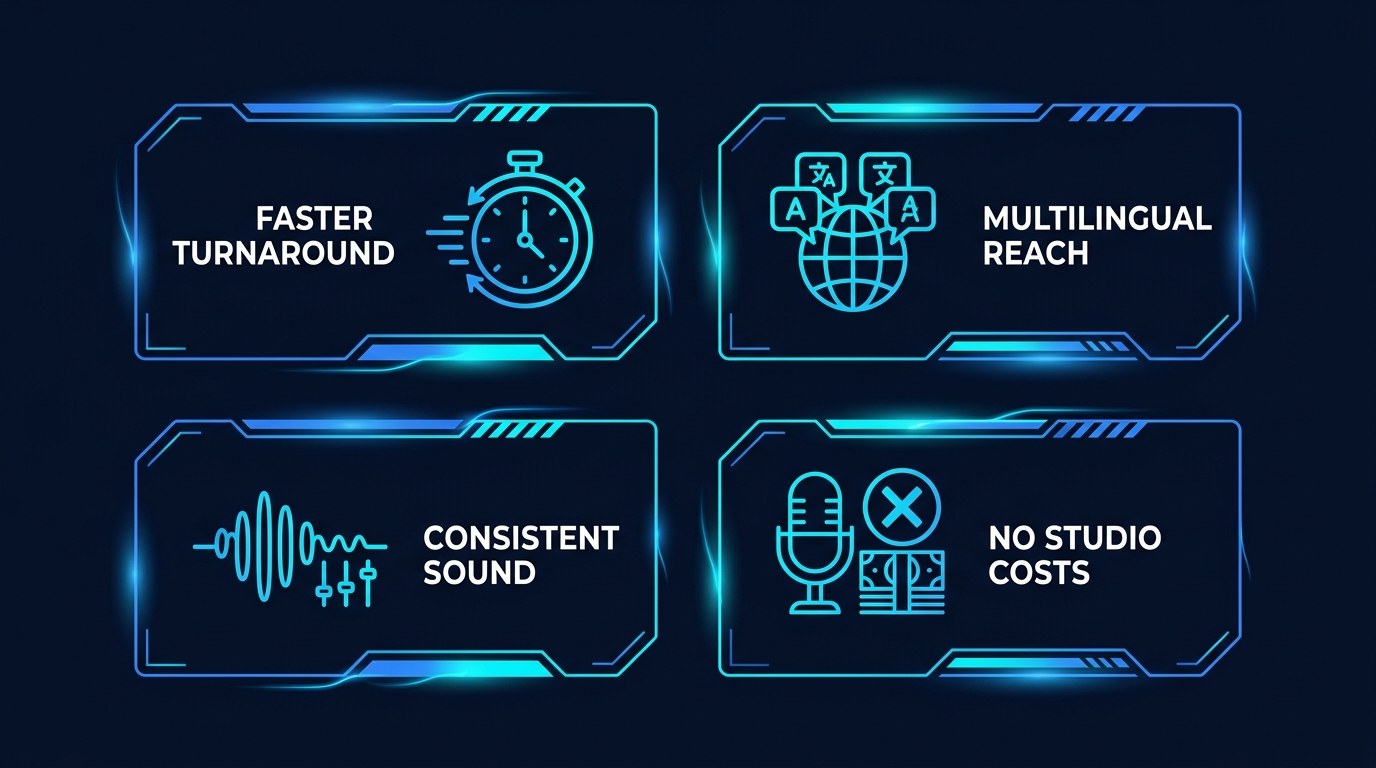
What you actually get back:
- Faster turnaround — a script becomes finished audio in minutes instead of waiting for a quiet room and the right mood
- Reach you couldn't buy — multilingual versions of work you've already made, at near-zero marginal cost
- A consistent sound — no more clips where you obviously had a cold or recorded at midnight
- No studio overhead — no microphone upgrade, no treated room, no rerecording because a truck drove by
Getting the Most Out of AI Voice
- Write for the ear, not the page. Short sentences. One idea per line. Read your script out loud before you generate — if you stumble reading it, the AI will sound wrong reading it too.
- Use punctuation as direction. Commas, periods, and paragraph breaks are your only real pacing controls in most tools. A well-punctuated script sounds dramatically better than a well-worded one.
- Generate three takes and pick. Output varies between runs. Three attempts costs seconds and meaningfully raises your floor — the same discipline you'd apply to a real recording session.
- Keep a phrases-that-break-it list. Every tool has words it mispronounces. Log them, add them to your pronunciation dictionary, and stop rediscovering the same problem monthly. The workflow patterns in our free tools library work well for wiring this into a repeatable process.
Frequently Asked Questions About AI Voice Tools
How do I get started if I've never made audio content before?
Take a blog post you've already written, trim it to about 300 words, and generate it with a library voice on a free tier. Listening to your own writing read aloud teaches you more about pacing in five minutes than any guide will. Don't clone your voice or pay for anything until you've done this once.
What does the setup actually involve for voice cloning?
It's shorter than most people expect:
- Record a few minutes of clean speech — a quiet room and your phone is usually adequate
- Read varied material, not one flat paragraph, so the model captures your range
- Upload, wait a few minutes for training, then test with a script you know well
- Generate a three-minute read before you trust it for anything client-facing, since quality drift shows up over length, not in short samples
Can I use AI voice on YouTube, TikTok, and podcast platforms?
Generally yes, but the rules differ by platform and they've been tightening through 2026. Most platforms permit synthetic narration while restricting undisclosed voice impersonation and, in some cases, demonetizing content judged to be low-effort mass-produced audio. Check the current policy for each platform you publish on, and disclose voluntarily — it's cheap insurance against a policy change you didn't notice.
Conclusion
The point of this was never to sound like someone else. It's to stop letting a quiet room be the thing standing between a finished script and a published piece of work. Audio has been the most consistently abandoned step in solo content operations for as long as solo content operations have existed, and that constraint is now optional. Keep your real voice for the moments that need a person in the room. Hand the rest to the machine, disclose it plainly, and go make the next thing.
Start with the free AI Morning Brief at aiproductivitydaily.com/free-tools — a daily digest of what's moving in AI, filtered for solopreneurs.
One AI workflow, every weekday.
Tutorials, tool reviews, and automation playbooks for solopreneurs running on AI. Short, useful, and free. Unsubscribe anytime.
No pitch. No upsell. One quick AI workflow per weekday.