
The Solopreneur's Guide to Notion AI: Run Your Whole Business From One Smart Workspace in 2026
What Every Solopreneur Needs to Know About Notion AI
Your business lives in too many tabs. Notes in one app, your client tracker in another, a doc tool for proposals, and a separate AI chatbot you paste things into and out of all day. Every switch costs you a few seconds and a little focus, and across a week those add up to real hours. Notion AI in 2026 is built to collapse that stack - it puts a capable AI assistant directly inside the workspace where your notes, docs, projects, and databases already live, so you stop shuttling information between tools.
Here's what this guide covers:
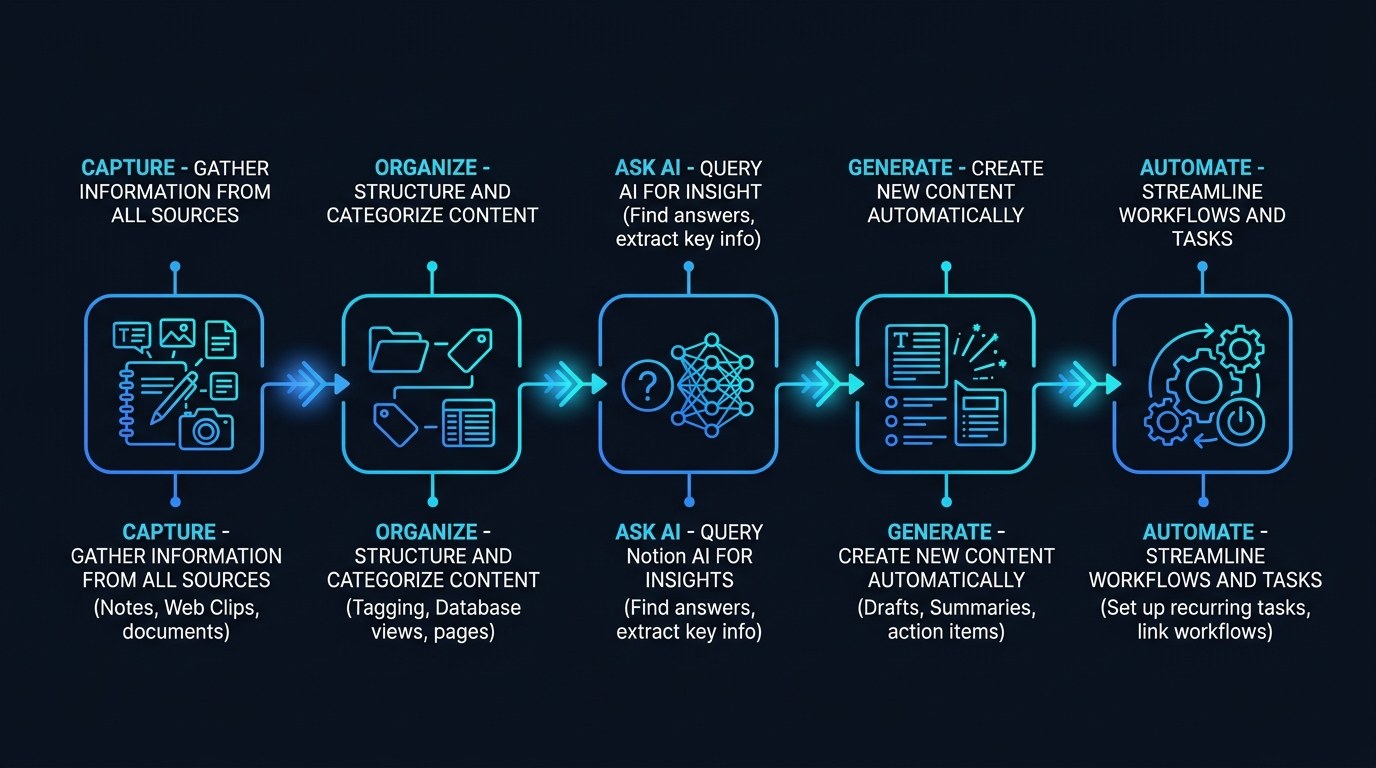
- Notion AI writing - draft, edit, and summarize in any page
- AI search and Q&A - ask questions across your whole workspace
- AI database properties - auto-fill, tag, and summarize records
- AI agents and autofill - multi-step help that acts on your data
- Connected app search - pull answers from Slack, Drive, and email
Core considerations before you lean on it:
- Which of your tools already hold the information you search most
- How much of your day goes to rewriting or reformatting the same content
- Whether your notes are organized enough for AI to find anything
- What you're comfortable letting AI draft versus what you write yourself
- How sensitive your client data is and who can see it
- Whether the per-seat cost beats paying for three separate tools
By the end, you'll know exactly which Notion AI feature fits which job, how it compares to running a standalone chatbot beside your other apps, and where to start so you feel the time savings this week.
AI Productivity Daily, a resource for solopreneurs and small business owners using AI to save time and grow, has tracked Notion's evolution from a tidy notes app into a full AI-powered workspace. In this guide, I'll break down what each piece actually does, when to reach for it, and how to set up your first AI-assisted workflow without overhauling everything you already have.
The Core Capabilities of Notion AI
Notion crossed 100 million users on its way into 2026, and the company has spent the last two years folding AI into nearly every surface of the product rather than bolting on a single chat box. That matters for solopreneurs because the value of AI inside a workspace isn't the model itself - it's that the model can see your actual notes, tasks, and records. According to Notion's own product updates, its AI now reads across connected tools like Slack, Google Drive, and Gmail, which turns "where did I write that?" into a one-line question.
The practical upshot: instead of describing your context to a chatbot every single time, you ask in the place that already holds it.
Writing and Editing Inside Any Page
The most-used piece is still the simplest. Highlight text or hit the AI shortcut on a blank line, and Notion AI drafts, rewrites, summarizes, or changes the tone of whatever you're working on - all without leaving the page.
What to look for when you put it to work:
- First drafts on demand - turn a few bullets into a full proposal section, then edit
- Tone and length control - make a reply shorter, warmer, or more formal in one click
- Inline summarizing - drop a three-line recap at the top of a long meeting note
- Translation and cleanup - fix grammar or translate a client message without a second tool
For a solopreneur, this is the difference between staring at a blank page and starting from an 80% draft. You stay the editor, not the typist.
Workspace Search and Connected Q&A
The capability that's grown the most heading into 2026 is AI search. Ask a question in plain language - "What did I quote the Riley project?" or "Summarize everything I know about this lead" - and Notion AI answers using your pages, databases, and any connected apps.
This is where the workspace model pulls ahead. A standalone chatbot starts every conversation blind. Notion AI starts with your business already loaded.
The real-world payoff is recall. The notes you took six months ago stop being buried and start being searchable knowledge you can pull up mid-sales-call or in a support reply.
How to Choose the Right Notion AI Feature for Your Business
Not every feature earns its place on day one. Use this table to match the tool to the job you actually have in front of you.
| Feature | Key Quality | Strengths | Best For | |---|---|---|---| | AI Writing | Fastest everyday win | Drafts, rewrites, and summarizes inline with no setup | Proposals, emails, content, and notes you already write in Notion | | AI Search / Q&A | Best recall | Answers from your pages plus connected Slack, Drive, and Gmail | Finding past decisions, quotes, and client history fast | | AI Database Autofill | Most hands-off | Auto-summarizes, tags, and fills record fields at scale | Lead trackers, content calendars, and CRMs with many rows | | AI Agents | Most autonomous | Runs multi-step tasks across your workspace data | Recurring jobs like weekly reports or status roundups | | Standalone chatbot beside Notion | Most model flexibility | Newest models, no workspace lock-in, great for one-offs | Research and tasks that don't touch your stored business data |
Expert tip: if you only turn on one thing this month, make it AI Search. Writing help is nice, but most solopreneurs lose more time hunting for information they already have than they lose drafting it. Connecting your email and Drive so Notion can answer across them delivers the biggest hour-for-hour return of anything on this list.
"I Don't Want AI Rewriting My Voice" - Practical Tips
A fair worry. The fix is to use AI for structure and recall, not for your final words.
- Use AI for first drafts only, then spend about 5 minutes editing in your own voice
- Build one reusable prompt for each of your three most common message types
- Keep a short "voice notes" page and paste it in so drafts sound like you
- Review anything client-facing before it sends - treat AI output as a junior assistant's draft
Start with the free AI tools and templates at aiproductivitydaily.com/free-tools to get a repeatable setup in place before you scale it up.
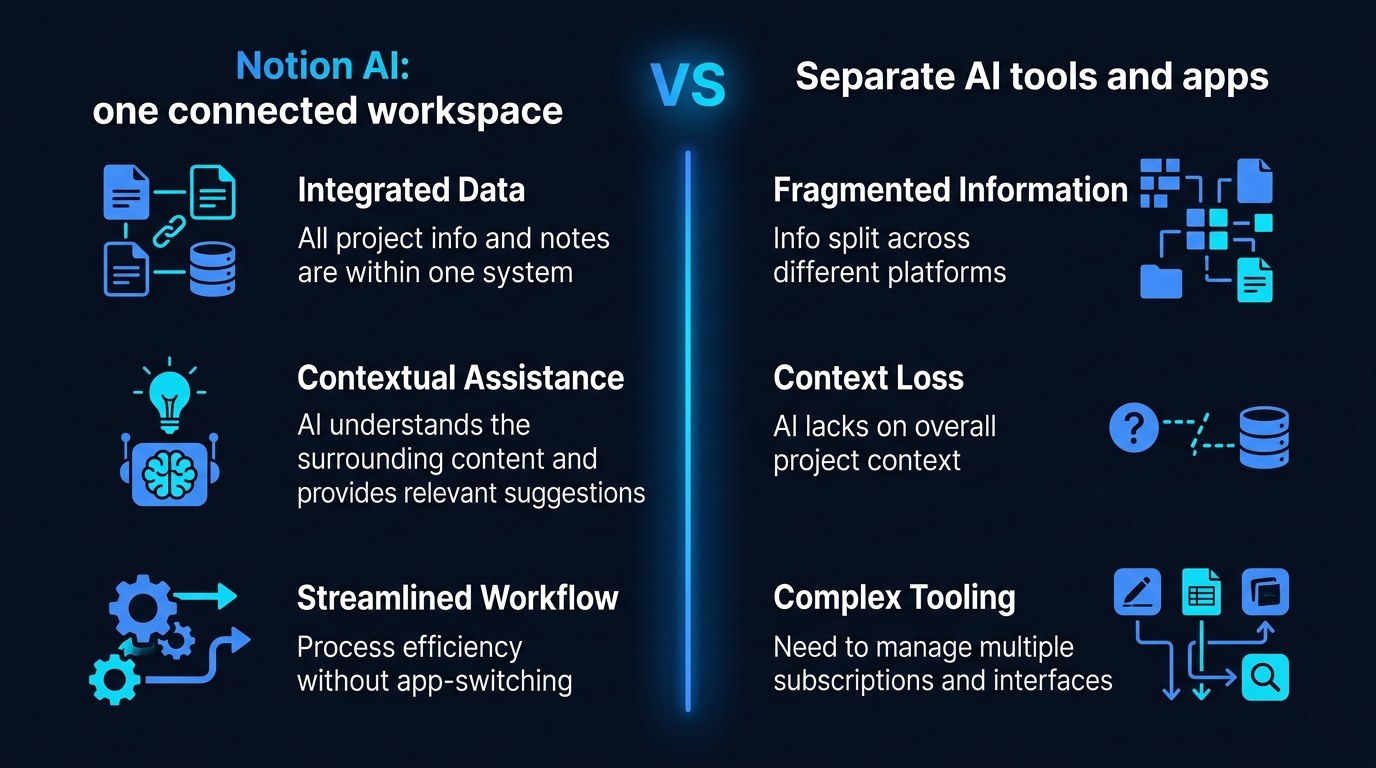
Notion AI vs. a Standalone Chatbot - Understanding the Difference
The distinction is context. A standalone chatbot is a powerful generalist that knows nothing about your business until you tell it. Notion AI is a slightly less flexible specialist that already knows your business because it lives inside it.
Your choice comes down to priorities. Reach for Notion AI when the task depends on your own notes and records. Reach for a standalone chatbot when you need the very newest model or you're doing open-ended research that has nothing to do with your stored data.
Notion AI for Every Stage of Your Business
Where Notion AI helps most shifts as you grow:
- Just starting: You're capturing everything - ideas, leads, to-dos. AI writing and summarizing keep that pile readable so it doesn't turn into a junk drawer.
- Finding traction: You have repeat clients and recurring work. AI search and database autofill turn scattered notes into a system you can actually run a business on.
- Scaling up: You're juggling more projects than you can hold in your head. AI agents and connected search become the memory and the assistant you'd otherwise have to hire for.
Beginner vs. Advanced Options
- Beginner (Free / low cost): Use the built-in AI writing on individual pages plus basic summarizing. Right for anyone who wants quick wins without restructuring their workspace.
- Intermediate (Business plan AI): Turn on AI Search across connected apps and AI properties in your key databases. The meaningful upgrade for solopreneurs whose business already lives in Notion.
- Advanced (AI agents + automations): Set up agents to run recurring multi-step jobs and wire Notion into your other tools. Justifies the extra cost once you're repeating the same workflows every week.
Customization and Workflow Integration
Heading into 2026, the biggest gains come from tailoring Notion AI to your specific routines rather than using it generically:
- Save your best prompts as reusable buttons or templates you click instead of retype
- Add AI summary properties to the databases you open most so context sits right at the top
- Connect the one external tool you search most - usually email or Drive - so answers pull from it automatically
Why This Matters for Solopreneurs Running Lean in 2026
If you've held off because learning another tool sounds like more work, that instinct is right - bolting on yet another app rarely helps. But that's exactly why an AI assistant that lives inside the workspace you already use is different: no new tab, no new login, no copy-paste tax. The framework here is simple - keep one home for your information, and let the AI work where that information already is.
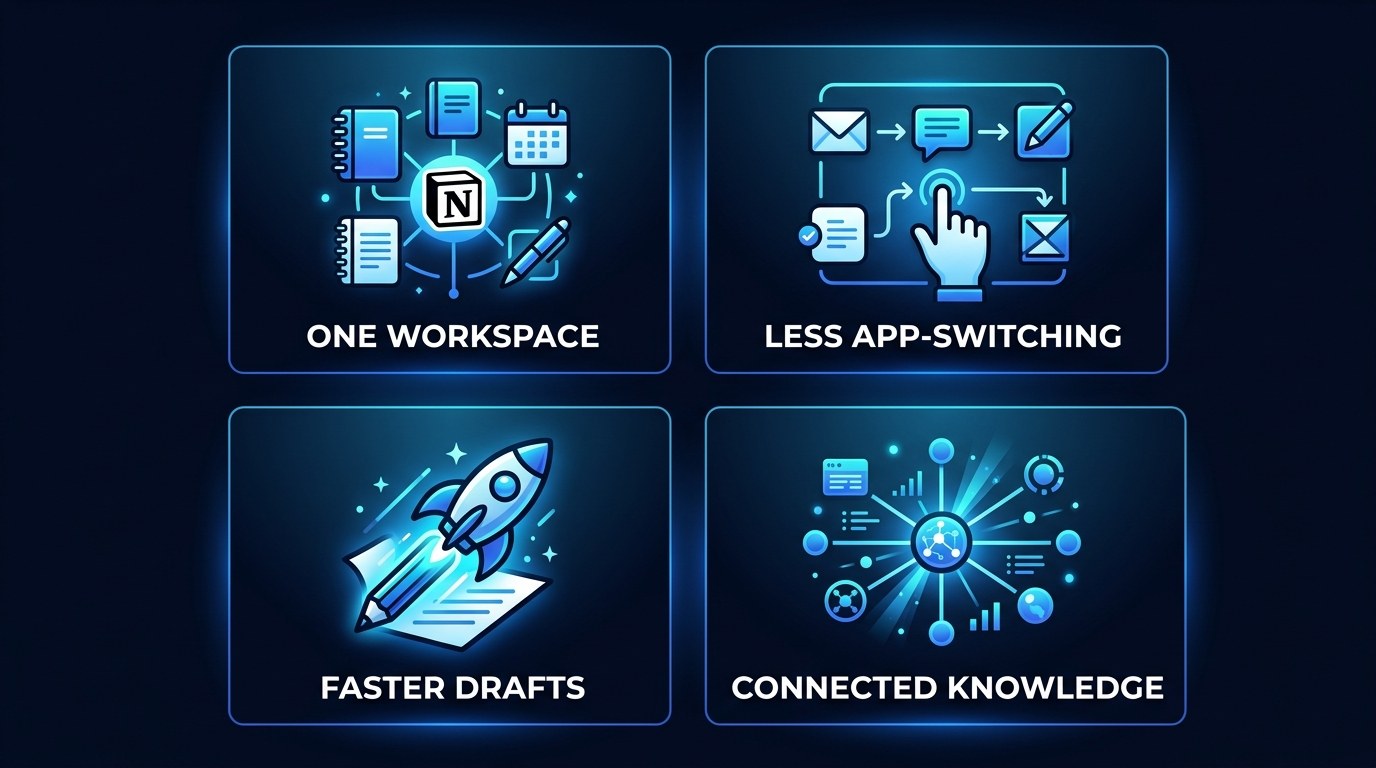
Here's what you get when you apply that to a real, lean operation:
- Fewer tools to pay for - one capable workspace can replace a notes app, a doc tool, and a separate AI subscription
- Less context-switching - you ask and answer in the same place you do the work
- Searchable memory - past notes become a knowledge base you can query, not an archive you forget
- A drafting head start - routine writing starts at 80%, so your time goes to judgment, not typing
Getting the Most Out of Notion AI
- Spend 20 minutes cleaning up your three most-used databases first - AI is only as good as what it can read
- Connect one external app this week (email or Drive) and ask it three real questions to feel the difference
- Pair Notion AI with an automation tool for hands-off workflows - see our guide to Zapier AI automation for the jobs worth wiring up
- Build a single "command center" page with your AI prompt buttons so your most common tasks are one click away
Frequently Asked Questions About Notion AI
How do I start using Notion AI without redoing my whole workspace?
Start on a single page. Open a doc you'd normally write from scratch, type a few bullets, and use the AI shortcut to draft from them. You don't need to reorganize anything to get value from writing help - the deeper search and database features can wait until you've felt that first win.
What does it take to set up AI Search across my other apps?
A few quick steps:
- Open Notion's settings and find the connected apps or integrations area
- Connect the tools you search most - usually Gmail, Google Drive, or Slack
- Give it a minute to index, then ask a real question in plain language
- Refine by pointing it at specific pages or databases when answers come back too broad
Can Notion AI match my writing voice, and how reliable is it?
It can get close, but it won't nail your voice on its own. Keep a short page describing your tone with a few sample messages, paste that in when you draft, and always edit client-facing output before it sends. Treat it as a fast first-drafter, not a final signer - especially for anything that represents you to a customer.
Conclusion
Running a business solo doesn't have to mean holding every detail in your head and rebuilding the same documents week after week. The promise of Notion AI isn't a smarter chatbot - it's a workspace that remembers what you know and helps you act on it, right where you already work. Get that in place and the busywork stops competing with the work that actually grows your business.
Start with the free AI Morning Brief at aiproductivitydaily.com/free-tools - a daily digest of what's moving in AI, filtered for solopreneurs.
One AI workflow, every weekday.
Tutorials, tool reviews, and automation playbooks for solopreneurs running on AI. Short, useful, and free. Unsubscribe anytime.
No pitch. No upsell. One quick AI workflow per weekday.