

The Solopreneur's Guide to Role Prompting: Turn AI Into Any Expert You Need in 2026
What Every Solopreneur Needs to Know About Role Prompting
You ask AI to review your pricing page and it hands back the kind of vague, hedge-everything answer a stranger would give. The issue usually isn't the model. It's that you never told it who to be. Role prompting fixes that in one line: before you give the task, you assign the AI a specific expert identity, and its whole answer sharpens to match.
Here's what this guide covers:
- What role prompting actually is
- How to write a role that works
- Roles worth keeping for your business
- Where role prompting beats a plain prompt
- Common mistakes that flatten the results
- How to make a favorite role permanent
Here are the core things to weigh before you lean on it:
- How specific the expert role needs to be
- What context the role needs to do its job
- Which tasks deserve an expert versus a quick answer
- How to keep the AI from inventing credentials
- When a role belongs in a saved setup instead
By the end you'll be able to turn one AI account into a bench of specialists you can call on all day, without paying any of them.
AI Productivity Daily, a resource for solopreneurs and small business owners using AI to save time and grow, has tested role prompting across dozens of everyday business tasks. In this guide, I'll show you exactly how to build roles that produce expert-level work and where the technique earns its keep.

The Core Ideas Behind Role Prompting
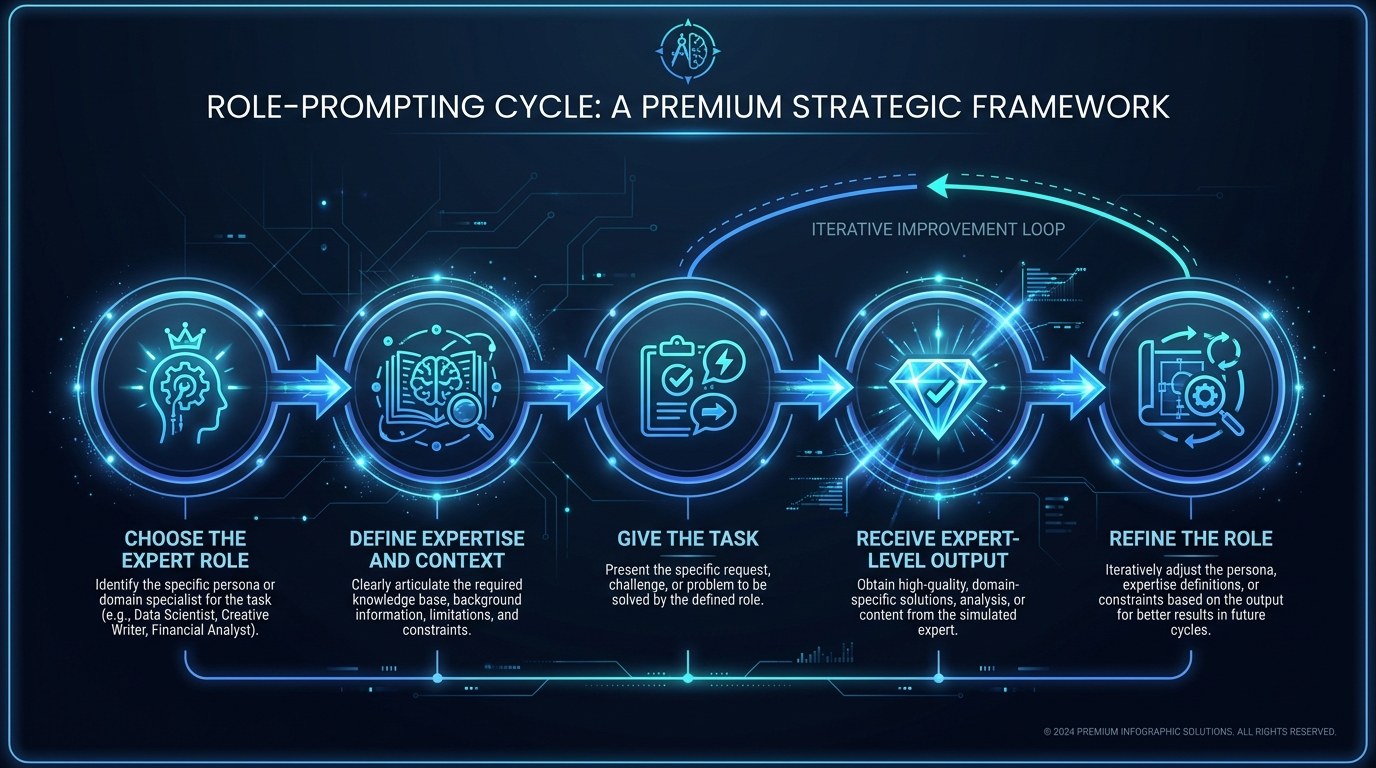
Role prompting, sometimes called persona prompting, is the practice of opening your request by telling the AI what expert it should act as. Instead of "help me with this contract," you say "act as a small-business attorney reviewing a freelance agreement." The model then draws on the patterns, vocabulary, and priorities associated with that role. It's the single most repeatable quality upgrade most solopreneurs are missing.
Why does it work so well? A 2024 study from researchers at the Allen Institute for AI found that assigning a relevant expert persona measurably improved answer quality on domain tasks, while random or irrelevant roles did nothing or hurt. In plain terms: the role has to actually fit the job. Heading into 2026, with reasoning models now standard, the effect is even stronger because the model uses the role to decide how carefully to think, not just which words to use.
Why a Role Changes the Answer
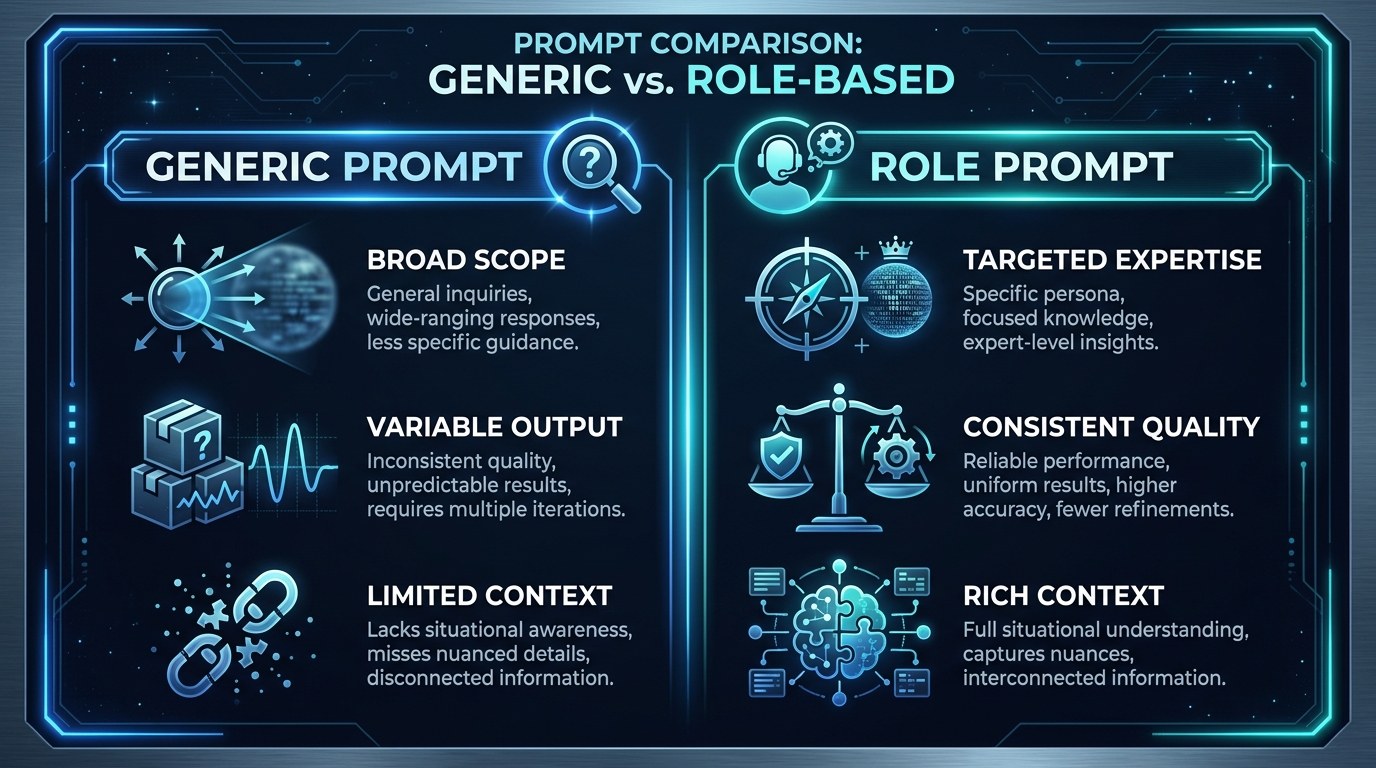
When you name a role, you're loading a whole set of expectations in a few words. "Act as a direct-response copywriter" pulls the model toward punchy hooks, clear offers, and calls to action. "Act as a conversion analyst" pulls it toward metrics, friction points, and testing. Same page, two completely different reviews.
Look for roles that carry a clear method:
- A defined job title the model recognizes (CFO, brand strategist, UX writer)
- A point of view that shapes priorities, not just tone
- Enough specificity to rule out generic filler
- A natural fit with the task you're actually doing
The tighter the role fits the work, the less you have to correct afterward, and the closer the first draft lands to something you'd actually use.
The Trend Making Roles More Powerful
Something shifted over the last year. Models got better at holding a persona across a long conversation instead of drifting back to a neutral assistant after a few turns. That means a role you set at the top of a chat now sticks through follow-ups, edits, and back-and-forth. For a solopreneur, that persistence is the whole game: you set up your "fractional CMO" once and keep pushing work at it for an hour.
The practical payoff is real leverage. A single well-built role can stand in for a specialist you'd otherwise hire hourly, whether that's a proposal editor, a bookkeeper's first pass, or a cold-email reviewer, and it's available the moment you need it.
How to Choose the Right Role for Your Business
Not every role is built the same. Some carry a clear method and expertise; others are just a costume. Use this to pick the type that fits what you're doing.
| Role Type | Key Quality | Strengths | Best For | |---|---|---|---| | Job-title role ("act as a CFO") | Instantly recognizable expertise | Loads a full method and priorities | Financial reviews, strategy, audits | | Specialist role ("act as a technical SEO auditor") | Narrow and deep | Precise, jargon-accurate output | Niche tasks where details matter | | Audience-proxy role ("act as my ideal customer") | Outside perspective | Surfaces objections and confusion | Testing copy, offers, and messaging | | Critic role ("act as a tough editor") | Adversarial by design | Finds weaknesses you'd miss | Final review before anything ships | | Teacher role ("act as a patient mentor") | Explains as it works | Builds your skill while it helps | Learning a new area, not just outsourcing it |
If you only master one, make it the specialist role. A narrow, specific expert ("act as a SaaS onboarding copywriter") beats a broad one ("act as a marketer") almost every time, because specificity is what stops the model from falling back on generic advice you could have written yourself.
"How Do I Write a Role That Actually Works?" — Practical Tips
Getting a strong role takes about 30 seconds once you know the shape of it.
- Name a specific expert, not a category. "Act as a Shopify conversion specialist," not "act as a marketing helper."
- Add 1 to 2 lines of context: who you are, what the goal is, and any constraint (budget, audience, tone).
- State the deliverable and format up front: a punch list, a rewrite, a scorecard out of 10.
- Ask the role to flag its own uncertainty so it doesn't invent facts to stay in character.
For a library of reusable role prompts you can adapt, see our guide to building an AI prompt library that saves hours.
One-Off Role vs. Permanent Setup — Understanding the Difference
A one-off role lives in a single prompt: you type "act as..." at the top of one chat and it applies to that conversation. It's perfect for tasks you do occasionally.
A permanent setup moves that same role into your system prompt or custom instructions so every new chat starts with it already loaded. If you find yourself typing the same "act as my brand copywriter" role every day, that's your signal to make it permanent. Our walkthrough on turning ChatGPT into a dedicated business assistant with system prompts shows exactly how to bank a role so you never retype it.
Role Prompting for Every Stage of Your Business
The right role shifts as your business does, but the technique scales the whole way.
- Just starting out: Use teacher and mentor roles to learn while you work, so you're building judgment instead of blindly pasting output.
- Getting traction: Lean on specialist roles to produce client-ready work, such as proposals, landing pages, and onboarding sequences, faster than you could alone.
- Scaling up: Stack critic and audience-proxy roles to pressure-test everything before it ships, catching the mistakes that cost you customers.
Beginner vs. Advanced Options
You don't need a paid plan to start, but the ceiling rises as you invest.
- Free tier: Any free chat model handles single-role prompts well. Type "act as..." and you'll feel the difference immediately, at zero cost.
- Paid tier: Paid models hold complex roles longer and reason harder inside them, which matters for multi-step work like a full financial review or a detailed content audit.
- Custom setup: With saved system prompts or a custom assistant, you bank your best roles permanently and route each task to the right specialist without retyping a thing.
Customization and Workflow Integration
By 2026, the solopreneurs getting the most out of AI aren't the ones with the fanciest tools. They're the ones who've built a small, sharp set of roles tuned to their exact business.
- Save your three or four most-used roles as reusable snippets you can paste in a second.
- Pair a role with your brand voice notes so output ships closer to done.
- Chain roles in sequence: have a "strategist" plan the piece, then a "copywriter" draft it, then a "tough editor" cut it.
Why This Matters for Solopreneurs Running Lean in 2026
If you're running a business alone, you already wear every hat, and most days a few of them don't fit. Role prompting doesn't add another tool to learn. It just tells the AI you already use to show up as the specialist you can't afford to hire, which is the closest thing to a team you'll get for free.
Here's what that unlocks in practice:
- Expert-level first drafts instead of generic ones you have to rewrite
- A consistent standard, because the same role produces the same quality every time
- Fewer revision loops, since the output lands closer to right on the first try
- One subscription that quietly does the work of several freelancers

Getting the Most Out of Role Prompting
- Match the role to the stakes. A quick email doesn't need a persona; a client proposal does.
- Give the role a reason to disagree with you. "Act as a skeptical investor" surfaces holes a yes-man never will.
- When output drifts generic, the role was too broad. Narrow it and rerun rather than editing by hand.
- Combine role prompting with a worked example for your highest-value tasks. For that, our guide to few-shot prompting pairs perfectly with a strong role.
Frequently Asked Questions About Role Prompting
How do I write a role prompt if I'm brand new to this?
Start with the phrase "act as a" followed by the most specific expert you can name for the task, then add one sentence of context about your goal. For example: "Act as a freelance-contract attorney. Review this agreement for anything that could leave me unpaid." That's a complete, effective role prompt.
What happens if I give the AI a role it doesn't really have expertise in?
The model will play the part convincingly whether or not the underlying knowledge is reliable, which is the main risk. Protect yourself with a few habits:
- Choose roles tied to well-documented professions, not invented titles.
- Ask the role to mark anything it's unsure about.
- Verify facts, figures, and legal or financial specifics yourself.
- Treat the output as an expert's draft, not an expert's final word.
Can I use more than one role in the same project?
Yes, and it's one of the most powerful moves available. Run tasks through roles in sequence rather than all at once: let a "strategist" set direction, hand the plan to a "copywriter" to execute, then give the draft to a "tough editor" to sharpen. Keep each role in its own turn so the model doesn't blur them together, and you'll get the effect of a small team reviewing one another's work.
Conclusion
Role prompting is the rare technique that costs nothing, takes seconds to learn, and quietly raises the ceiling on everything AI does for you. You're not learning a new app or rewiring your workflow. You're just deciding, before you ask, who you need in the room. Do that consistently and the same AI you've been using starts handing back work that looks like it came from someone you'd have had to hire.
Want a running edge without the busywork? Start with the free AI Morning Brief at aiproductivitydaily.com/free-tools — a daily digest of what's moving in AI, filtered for solopreneurs.
One AI workflow, every weekday.
Tutorials, tool reviews, and automation playbooks for solopreneurs running on AI. Short, useful, and free. Unsubscribe anytime.
No pitch. No upsell. One quick AI workflow per weekday.